A user manual is a document created by the manufacturer of a machine or device which communicates all important information about installation and operation of the machine or device. You can download free User Manual Template here. This User Manual Template will be really helpful to you. User manual is also known as user’s guide. These are mostly associated with electrical goods and items. User’s manual enables a consumer to operate a machine or device effectively and also identify its other features as well. A user’s manual should be in easily understandable form. A user guide generally includes written and visual information to assist that how to operate the device with best. User manual template is a best tool to utilize if you are going to write a user manual yourself. It helps you to prepare a user manual in a best way and effectively. Such templates are free of cost and you can make amendment in them as you want.
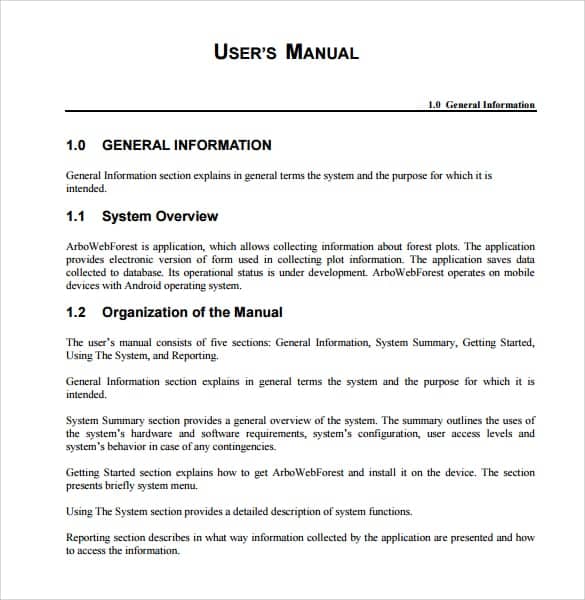
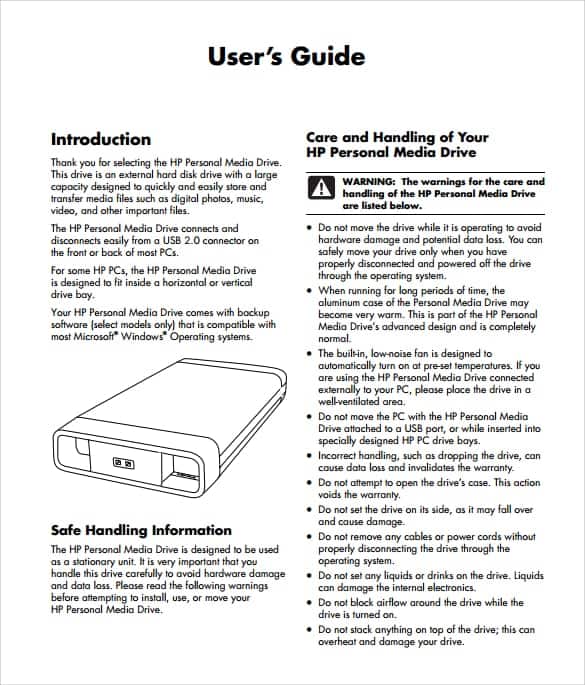
User manual is organized for some product such as mobile phones and accessories attached to it. In user manual the features are defined and information about using the product. It is just like a copy in which pictures are designed for convenience of the customers. It gives complete introduction of device to an individual. It provides assistance to people using a particular system. The user manual is written by programmers, product or project managers, or other technical staff, particularly in smaller companies. The association of this manual is with electronic goods, computer and software. The selection of user manual includes a cover page, title page and preface. The software and games usually come with user manual. The manual should be written logically so that it makes people easy to understand. User manuals can be made of numerous parts including a front cover, tables of contents, list of figures or tables, introduction, chapters, appendix, glossary, index and back cover.
What Is a User Manual and Why It Matters
A user manual (also called a user guide or instruction manual) is a document that explains how to set up, operate, maintain, and troubleshoot a product. It is written by the people who built or designed the product and handed to the person who will actually use it, so it needs to translate technical knowledge into instructions a non-expert can follow without help. Good manuals reduce support calls, prevent misuse of a product, and directly affect how satisfied a customer feels after purchase, because a device is only as good as a customer’s ability to actually use it. For manufacturers, a clear manual protects them too: many product liability and warranty claims hinge on whether the manufacturer provided adequate instructions and safety warnings, so documentation is as much a compliance requirement as a courtesy.
Who Creates and Uses User Manuals
Software companies write manuals to walk users through installation, account setup, and day-to-day features, often publishing them alongside release notes each time the product updates. Product manufacturers — from appliance makers to industrial equipment brands — rely on manuals to cover assembly, safe operation, and maintenance schedules, since a missing torque spec or wiring diagram can turn into a safety incident. IT teams write internal manuals for the hardware and software they roll out to employees, covering setup, login procedures, and who to contact when something breaks. In larger organizations, manuals are usually a joint effort: engineers or product managers supply the technical facts, and a technical writer turns that into instructions ordinary users can follow, while a designer handles the layout and diagrams. Smaller teams often skip the technical writer and have the same person who built the product also document it, which is exactly why templates matter — they supply the structure that a non-writer would otherwise have to invent from scratch.
Key Elements of an Effective User Manual
Regardless of the product, well-built manuals share the same backbone. Missing any one of these pieces is usually what makes a manual feel incomplete or hard to use.
- Table of contents – lets a reader jump straight to the section they need instead of reading start to finish.
- Getting started / setup – unboxing, installation, and first-time configuration, written in the order the user will actually perform it.
- Step-by-step instructions – one action per step, numbered, with a screenshot or diagram wherever the action isn’t obvious from text alone.
- Troubleshooting section – a table or list matching common symptoms, like a device that won’t power on, to likely causes and fixes.
- FAQ – answers the handful of questions that don’t fit neatly into a troubleshooting table, such as warranty terms or compatibility.
- Visuals – diagrams, screenshots, and labeled photos that let a user match what’s on the page to what’s in front of them.
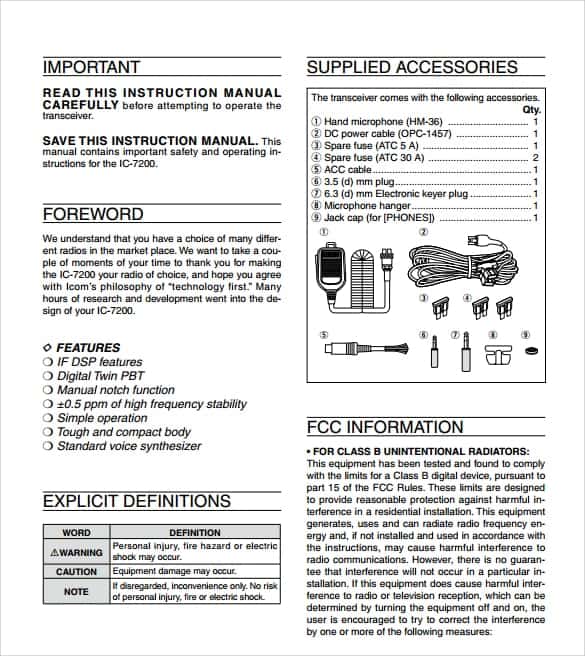
- Safety warnings and specifications – electrical ratings, weight limits, or usage restrictions, usually called out separately so they aren’t missed.
Download User Manual Template:

Download this user manual template here.

More User Manual Templates

How to Customize a User Manual Template for Your Product
A template only saves time if it is adapted properly rather than used as-is. Here is a practical process for turning one of the templates above into a manual for your own product:
- Replace the placeholder product name and images throughout the document, including the cover page and any repeated headers or footers — a leftover placeholder is the fastest way to make a manual look unfinished.
- Rebuild the table of contents around your product’s actual features rather than keeping the template’s original section list; remove any section that doesn’t apply and add new ones for features unique to your product.
- Write the getting-started section first, since it is the part every user reads, then work through the remaining steps in the order a user would actually perform them, not the order that is easiest to write.
- Swap in your own screenshots or photos for every template image — using another product’s visuals is confusing at best and factually wrong at worst.
- Fill in the troubleshooting table with issues from your own support tickets or beta testing, so it reflects real problems users hit rather than generic examples.
- Proofread for version-specific details — model numbers, firmware versions, and screenshots of a specific software version — since these are the details most likely to go stale.
Common Mistakes to Avoid
Even with a solid template, a few recurring mistakes undermine a manual’s usefulness:
- Too much jargon – writing for how the engineering team talks about the product instead of how a first-time user thinks about it forces readers to decode terminology before they can follow a single instruction.
- Missing visuals – a wall of text describing a physical action is far harder to follow than one labeled photo showing the same thing.
- Poor organization – burying setup instructions in the middle of the document, or mixing troubleshooting steps into the main instructions, makes the manual hard to use as a reference.
- No troubleshooting section – without one, every minor issue turns into a support ticket instead of a self-service fix.
- Assuming prior knowledge – skipping steps that seem “obvious” because the person who wrote the manual already knows the product forgets that the reader doesn’t.
- Never updating the manual after a product update – outdated screenshots and instructions erode trust in the whole document, not just the section that changed.
Practical Tips for Writing a Manual That Works
Write for the skill level of your actual audience, not for yourself — if the product is aimed at beginners, avoid abbreviations and internal terminology entirely, and if it is aimed at technicians, you can move faster and assume familiarity with the domain. Keep a version number and revision date on the manual itself, the same way software keeps a changelog, so support teams and users can tell at a glance whether they are looking at the current version. Store the source file somewhere your team can update easily — a locked file with no editable source is one of the biggest reasons manuals stop getting updated after the first release. Finally, test the manual on someone who has never used the product: if they get stuck on a step, that step needs to be rewritten, not explained to them in person.
Frequently Asked Questions
What’s the difference between a user manual and a quick start guide?
A quick start guide is a short, usually single-page document covering just the steps needed to get a product running for the first time. A user manual is the full reference document — it includes the quick-start steps plus every feature, setting, troubleshooting step, and specification a user might need over the product’s lifetime.
Do I need a printed manual, or is a digital PDF enough?
For most consumer products a digital PDF or an online help page is enough, and it is easier to keep updated than print. Some industries and regions still require a printed manual in the box for safety or regulatory reasons, so it is worth checking the rules that apply to your specific product category before dropping print entirely.
How long should a user manual be?
There is no fixed length — a simple accessory might need two pages, while industrial equipment can run to hundreds. The right length is however many pages it takes to cover setup, every feature, troubleshooting, and safety information clearly, without padding.
Can I reuse the same template for multiple products?
Yes — that is the main advantage of starting from a template rather than a blank page. Keep the section structure and formatting consistent across products in the same line, and just swap in the product-specific instructions, specifications, and images for each one.

![10+ Practical Restaurant Business Plan Templates [PDF & WORD]](https://www.docspile.com/wp-content/uploads/2022/03/restaurant-business-plan-sample-1227408-150x150.jpg)