A payment voucher is an important business document used to record and authorize money paid by a company, organization, or individual. It provides a written record of a financial transaction and can help businesses maintain organized accounting records.
Whether you are paying a supplier, settling an expense, recording a salary payment, repaying a loan, or making another business payment, a properly prepared payment voucher can provide useful supporting documentation for your accounts.
Creating a professional voucher from scratch can take unnecessary time. A ready-to-use payment voucher template gives you a structured format that you can edit, print, and reuse whenever a payment needs to be documented.
On this page, you can download a free payment voucher template and customize it according to your business requirements. The template can be useful for small businesses, companies, accounting departments, schools, organizations, traders, and individuals who need a simple way to document payments.
What Is a Payment Voucher?
A payment voucher is a document used to record details of a payment made by a business or organization. It normally identifies the person or company receiving the money, the amount paid, the reason for the payment, the date of the transaction, and other relevant information.
In accounting, a payment voucher can serve as supporting documentation for an entry in the financial records. It helps explain why money was paid and provides a reference that can be reviewed later.
For example, a business might create a payment voucher when it pays:
- A supplier for purchased goods
- Office rent
- Utility bills
- Employee salaries or advances
- Transportation expenses
- Business travel expenses
- Repair and maintenance costs
- Loan installments
- Professional service fees
- Other operating expenses
The existing DocsPile page also describes payment vouchers as records used for purchases, expenses, salaries, loan repayments, and other situations involving an outflow of funds.
Free Payment Voucher Template
A free payment voucher template makes it easier to document financial transactions without designing a new form every time.
Instead of creating a payment voucher in Word or Excel from a blank page, you can start with a predefined format and enter your own transaction information.
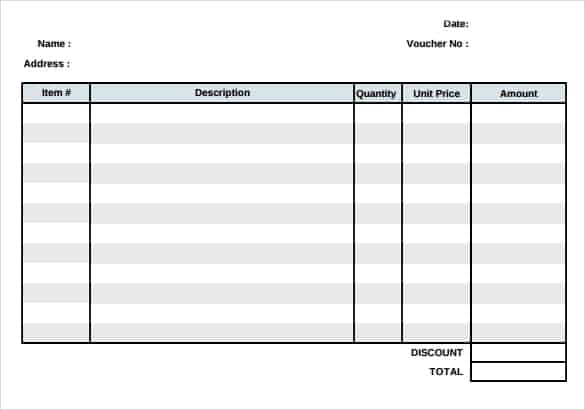
Depending on your organization’s requirements, you can customize the template by adding your company name, logo, address, contact details, voucher number, payment method, recipient information, amount, description, and authorization fields.
The template can then be saved as a reusable master copy for future transactions.
What Information Should a Payment Voucher Include?
A payment voucher should contain enough information to identify and understand the transaction. The exact fields can vary between businesses, but a professional payment voucher commonly includes the following details.
1. Voucher Number
Assigning a unique voucher number makes it easier to find and reference individual transactions later.
For example, a company could use numbers such as PV-001, PV-002, PV-003, and so on.
A consistent numbering system is particularly useful when a business processes a large number of payments.
2. Date of Payment
Enter the date on which the payment was made or recorded.
Accurate dates help businesses organize transactions chronologically and reconcile payment records with bank statements, cash books, and accounting software.
3. Payee or Recipient Information
The voucher should identify who received the payment.
Depending on the transaction, this could be a supplier, employee, contractor, service provider, landlord, lender, or another party.
Include the recipient’s name and any additional information required by your organization’s accounting procedures.
4. Amount Paid
Clearly record the amount of money being paid.
It is good practice to include both the numerical amount and, where appropriate, the amount written in words. This can reduce ambiguity when the document is reviewed later.
5. Payment Method
The voucher can indicate whether the payment was made by:
- Cash
- Bank transfer
- Cheque
- Credit or debit card
- Online payment
- Other approved payment methods
Recording the payment method makes reconciliation and transaction tracking easier.
6. Purpose of Payment
Explain why the payment was made.
For example:
Payment for office stationery purchased in August.
A clear description provides useful context for accounting and management review.
7. Account Information
Businesses may include an expense account, ledger account, supplier account, cost center, or other accounting reference.
This can help accountants classify the transaction correctly.
8. Supporting Document Reference
If the payment relates to an invoice, purchase order, receipt, contract, or other document, include its reference number where appropriate.
This creates a connection between the payment voucher and the underlying transaction.
9. Authorization and Signatures
Many organizations use approval fields to show that the payment was reviewed and authorized.
Depending on internal procedures, the voucher may include signatures for the person preparing the voucher, the person approving the payment, and the recipient.
How Does a Payment Voucher Work?
The basic process is straightforward.
First, a business identifies a payment that needs to be made or recorded. The person responsible for preparing the transaction collects the relevant information and completes the payment voucher.
The voucher is then reviewed according to the company’s internal approval process. Once the payment is authorized, the payment is made through the appropriate method.
The completed voucher and supporting documents can then be retained as part of the organization’s financial records.
For accounting purposes, the voucher can help provide evidence supporting the relevant ledger entry.
Payment Voucher vs. Receipt
Payment vouchers and receipts are related but serve different purposes.
A payment voucher is generally prepared by the party making or authorizing a payment. It documents the reason, amount, recipient, and approval of the outgoing payment.
A receipt, on the other hand, is generally issued by the party receiving money as confirmation that payment has been received.
For example, if a company pays a supplier $1,000:
- The company may prepare a payment voucher documenting the payment.
- The supplier may issue a receipt confirming that the $1,000 was received.
Depending on the transaction and local accounting practices, businesses may maintain both documents.
Payment Voucher in Accounting
Payment vouchers can be useful as part of an organization’s internal accounting and financial control procedures.
When money leaves a business, there should generally be a record explaining the transaction. A payment voucher can provide a standardized way to document that information.
For example, an accounting department could use vouchers to organize payments for:
Purchases: Payments made to suppliers for goods or materials.
Expenses: Office expenses, transportation, utilities, repairs, and other operating costs.
Salaries: Employee salary payments, advances, or other approved payments.
Loans: Repayment of loans or other financial obligations.
Services: Payments to consultants, contractors, freelancers, and service providers.
Using a consistent voucher format can also make internal reviews and transaction reconciliation easier.
How to Prepare a Payment Voucher
Preparing a payment voucher does not have to be complicated.
Step 1: Enter the Voucher Number
Give the transaction a unique identification number.
Step 2: Add the Date
Enter the date associated with the payment.
Step 3: Identify the Payee
Enter the full name of the person, supplier, company, or organization receiving the payment.
Step 4: Enter the Amount
Record the payment amount and currency.
Step 5: Describe the Transaction
Clearly explain what the payment is for. Include an invoice number, purchase order number, or other reference when applicable.
Step 6: Select the Payment Method
Indicate whether the payment was made by cash, cheque, bank transfer, or another method.
Step 7: Add Accounting Information
If your business uses account codes, cost centers, or ledger references, enter the relevant information.
Step 8: Obtain Approval
Have the appropriate person review and approve the payment according to your organization’s procedures.
Step 9: Keep Supporting Documents
Attach or reference relevant invoices, receipts, purchase orders, contracts, or other supporting documents.
Who Can Use a Payment Voucher Template?
A payment voucher template can be useful for many types of organizations.
Small Businesses
Small businesses can use payment vouchers to maintain a simple record of outgoing payments without investing in complicated accounting forms.
Companies
Larger companies can use standardized payment vouchers as part of their internal payment approval and accounting procedures.
Schools and Institutions
Schools, educational institutions, and nonprofit organizations may use payment vouchers to document payments for supplies, services, salaries, maintenance, and other expenses.
Traders
Traders can use payment vouchers when paying suppliers, purchasing inventory, settling business expenses, or making other payments.
Accounting Departments
Accounting teams can use standardized vouchers to organize transaction information and maintain supporting records.
Advantages of Using a Payment Voucher Template
A reusable template provides several practical benefits.
Saves Time
You don’t have to create a new payment form from scratch for every transaction.
Improves Organization
Important payment details are collected in a consistent format.
Supports Record Keeping
Completed vouchers provide a useful reference for reviewing past transactions.
Helps Reduce Missing Information
A structured template reminds users to provide important information such as the date, amount, payee, payment purpose, and authorization.
Creates Consistency
Using one standard format across a business makes financial documentation easier to understand and review.
Payment Voucher Template in Word
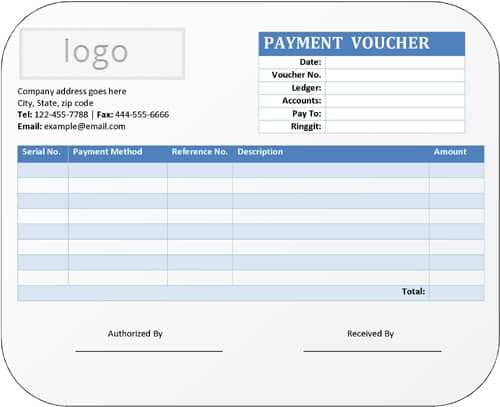
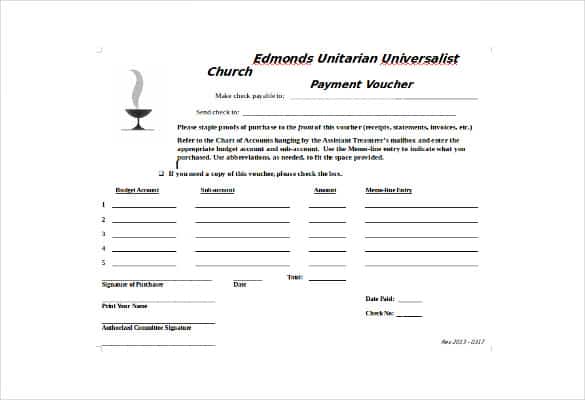
A payment voucher template in Word is useful when you want a simple document that can be edited and printed easily.
Word makes it possible to customize the company name, logo, headings, fields, and overall layout. It is a practical choice for businesses that prepare a moderate number of payment vouchers and prefer a traditional document format.
You can also save the completed voucher as a PDF if a digital copy needs to be shared or archived.
Payment Voucher Template in Excel
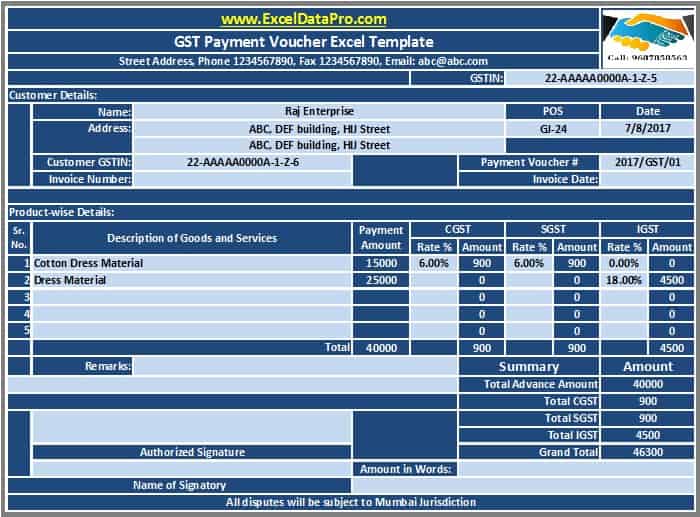
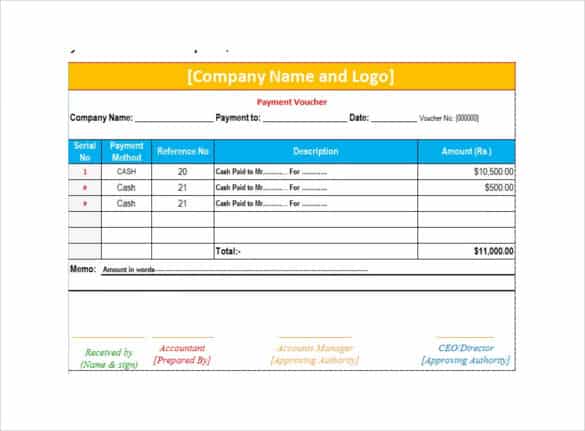
An Excel payment voucher template can be useful when your business wants to organize payment information in a spreadsheet environment.
Excel is particularly convenient when calculations are required or when businesses want to maintain multiple transaction records in a structured workbook.
You can add formulas for amounts, totals, and other calculations while maintaining a consistent voucher format.
Download a Free Payment Voucher Template
If you need a simple way to document outgoing payments, a ready-made payment voucher template can save time and help you maintain consistent financial records.
Download the template, enter your company information, customize the fields according to your accounting procedures, and save a master copy for future use.
For every transaction, record the relevant payment information accurately and retain the completed voucher with the appropriate supporting documentation.
The existing DocsPile page provides a downloadable payment voucher template and specifically encourages users to customize the template for their own use.
Remember that payment voucher requirements can differ between businesses, accounting systems, and jurisdictions. A template should therefore be customized to match your organization’s internal controls and applicable accounting or tax requirements. This template is intended as a general starting point rather than formal accounting advice, so for significant transactions, tax-sensitive payments, or audit purposes, have your accountant or bookkeeper review your voucher format and numbering system to confirm it meets your specific reporting and compliance obligations.
Common Mistakes to Avoid
A few recurring errors can reduce the usefulness of a payment voucher as a financial record. Being aware of them can help you avoid rework and keep your accounts easier to audit later.
- Skipping the voucher number. Without a unique reference, it becomes difficult to trace a payment back to its supporting documents during a review or audit.
- Vague payment descriptions. Writing “miscellaneous” or “expenses” instead of a specific reason makes it harder to classify the transaction correctly later.
- Missing authorization. A voucher without an approval signature or sign-off may not satisfy an organization’s internal control requirements.
- Not attaching supporting documents. A voucher on its own is more useful when it is backed by the related invoice, receipt, or purchase order.
- Inconsistent formats across a team. When different people prepare vouchers in different layouts, it becomes harder to review and compare transactions later. Sharing one template across the organization helps keep records consistent.
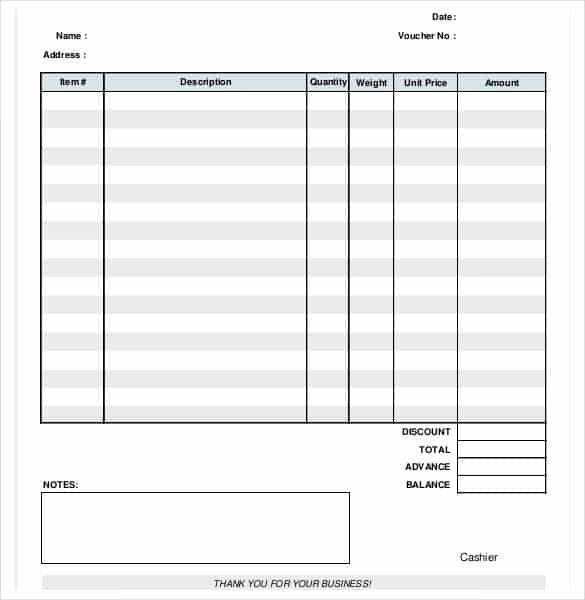
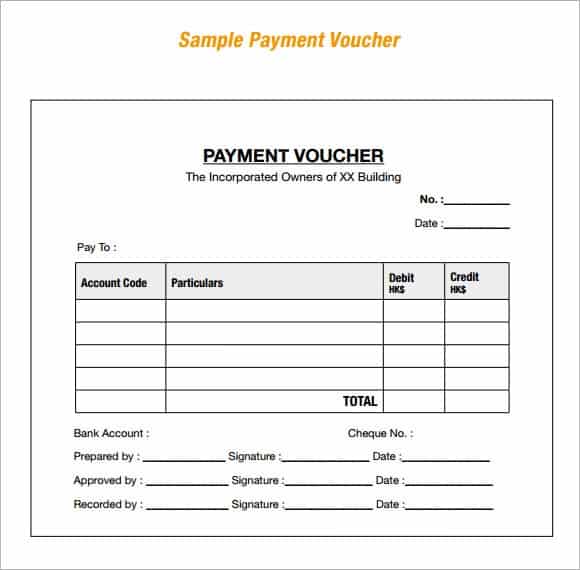
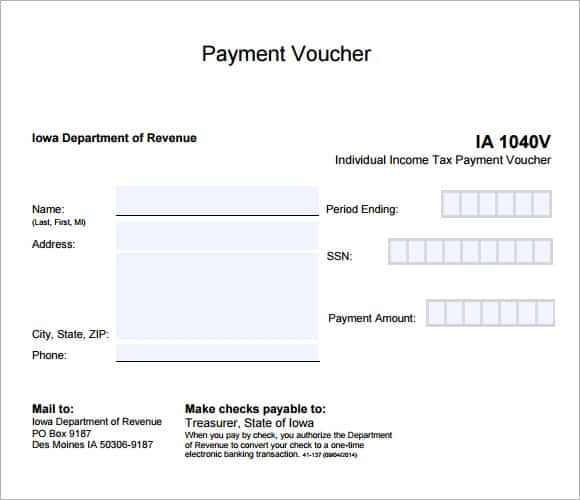
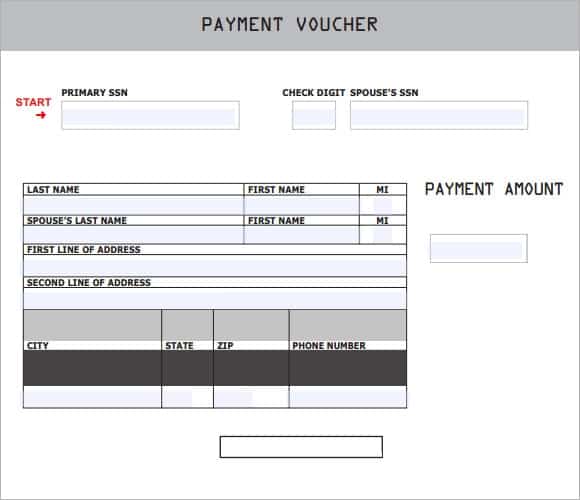
Download free Payment Voucher Template:
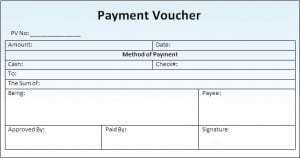
Click on the download button and make this payment voucher template your own.

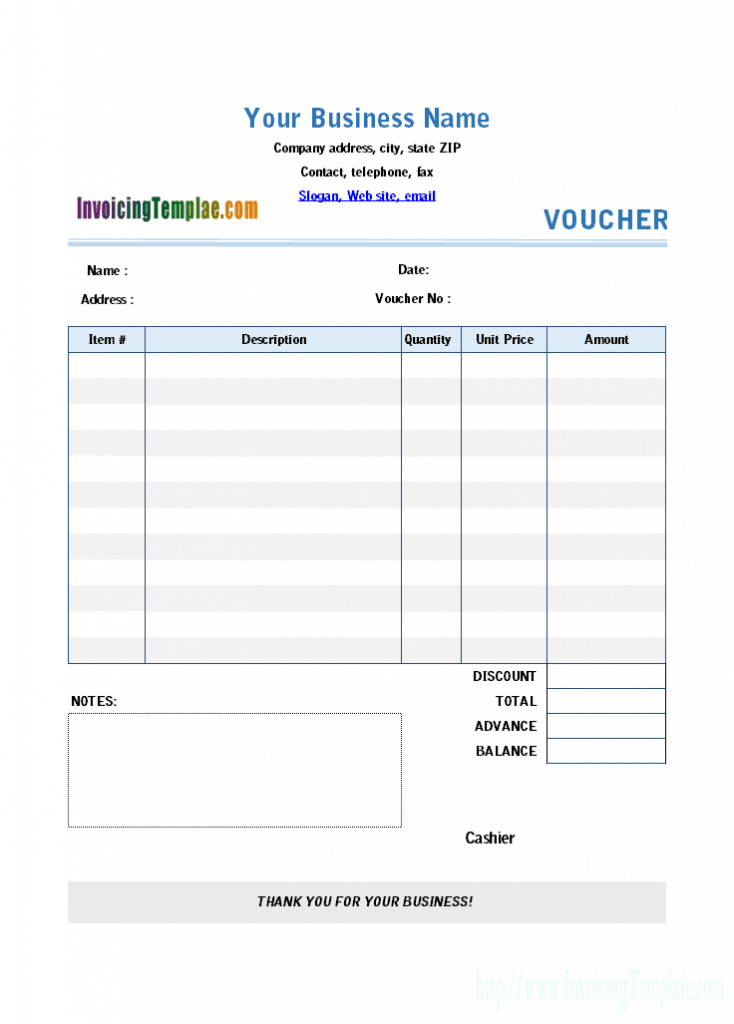
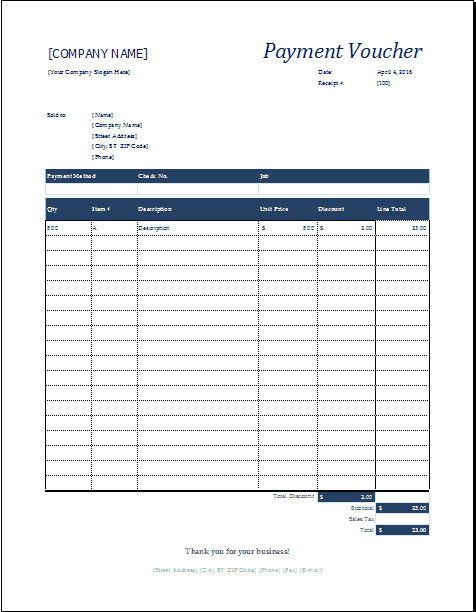
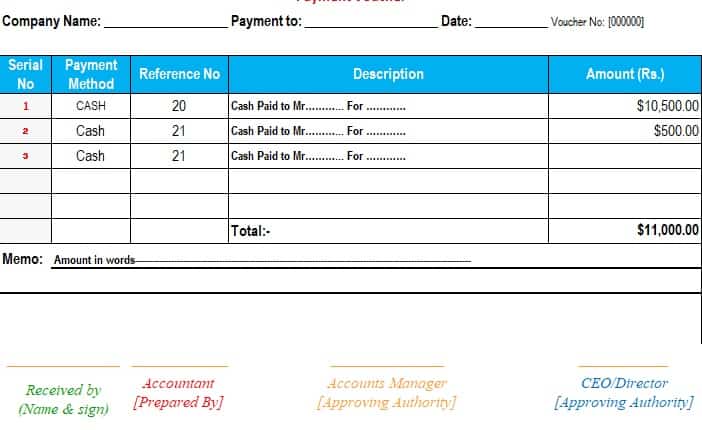

Frequently Asked Questions About Payment Vouchers
What is a payment voucher?
A payment voucher is a document used to record and support a payment made by a business or organization. It normally includes the payment date, amount, recipient, purpose, payment method, and authorization information.
What is the purpose of a payment voucher?
The main purpose is to document an outgoing payment and provide supporting information for accounting and record keeping. It can help businesses track purchases, expenses, salaries, loan repayments, and other payments.
Is a payment voucher the same as a receipt?
No. A payment voucher is generally created by the party making or authorizing a payment, while a receipt is normally issued by the party receiving the payment as confirmation that money has been received.
What should be included in a payment voucher?
Common information includes voucher number, date, payee name, amount, payment method, reason for payment, account or ledger information, supporting document references, and authorization signatures.
Can I create a payment voucher in Word or Excel?
Yes. Both Word and Excel can be used to create payment vouchers. Word is convenient for printable document-based forms, while Excel can be useful when calculations or structured financial data are involved.