

l.
2. Employee Information
The salary slip should identify the employee receiving the salary.
Common fields include:
- Employee name
- Employee ID
- Job title
- Department
- Employment type
- Date of joining, where relevant
Including an employee ID is particularly useful when a business has many employees with similar names.
3. Salary Period
Clearly state the period covered by the salary slip.
For a monthly salary, this might be a particular month and year. For weekly, biweekly, or other payroll cycles, the relevant start and end dates should be specified.
4. Basic Salary
Basic salary represents the regular salary component before additional earnings and deductions.
Some organizations calculate other benefits or contributions using basic salary, while others use different compensation bases. The appropriate calculation depends on the employer’s payroll structure and applicable rules.
5. Allowances
Employees may receive allowances in addition to their basic salary.
Common examples include:
- Housing allowance
- Medical allowance
- Transport allowance
- Meal allowance
- Communication allowance
- Travel allowance
- Education allowance
- Other approved allowances
Each allowance should be listed separately when practical so the employee can understand the composition of their earnings.
6. Overtime and Bonuses
Some employees receive additional payments for overtime, performance bonuses, commissions, incentives, or other earnings.
These amounts can be listed separately from basic salary and regular allowances.
7. Gross Salary
Gross salary generally represents the total earnings before applicable deductions.
A simplified example is:
Basic Salary + Allowances + Overtime + Bonuses = Gross Earnings
The exact calculation can differ depending on the employer’s payroll system.
8. Deductions
Deductions reduce the employee’s gross earnings.
Depending on the employee’s circumstances and local requirements, deductions may include:
- Income tax
- Social security contributions
- Insurance
- Retirement or pension contributions
- Provident fund contributions
- Salary advances
- Loan repayments
- Unpaid leave adjustments
- Other authorized deductions
Employers should ensure deductions are calculated and applied according to applicable laws, employment agreements, and company policies.
9. Net Salary
Net salary is the amount remaining after applicable deductions are subtracted from gross earnings.
A simple calculation is:
Gross Earnings − Total Deductions = Net Salary
This is generally the amount paid to the employee.
Salary Slip Format
A good salary slip format should be easy to read and should clearly separate earnings from deductions.
A common structure includes employer and employee information at the top, followed by the salary period and a table containing earnings and deductions.
For example:
| Earnings | Amount | Deductions | Amount |
|---|---|---|---|
| Basic Salary | — | Tax | — |
| Housing Allowance | — | Insurance | — |
| Transport Allowance | — | Loan/Advance | — |
| Overtime | — | Other Deductions | — |
| Bonus | — | Total Deductions | — |
The bottom of the salary slip can then show gross earnings, total deductions, and net salary.
The exact layout can be changed according to your payroll system.
Salary Slip Template in Word
A salary slip template in Word is a practical option for employers who want an editable document.
Microsoft Word allows you to customize the template by adding a company logo, changing headings, modifying tables, adding salary components, and adjusting the layout.
Word is particularly useful for small businesses and organizations that prepare a relatively limited number of salary slips manually.
After completing the salary slip, you can print it or save/export it as a PDF for digital distribution.
Salary Slip Template in Excel
An Excel salary slip template is useful when payroll calculations are involved.
Excel can perform calculations for:
- Basic salary
- Allowances
- Overtime
- Bonuses
- Gross salary
- Individual deductions
- Total deductions
- Net salary
For recurring payroll, formulas can reduce repetitive calculations. However, salary spreadsheets should be carefully checked because an incorrect formula or input can result in an incorrect employee payment.
A good Excel payroll template should therefore be tested before being used for regular salary processing.
Monthly Salary Slip Template
A monthly salary slip template is one of the most common formats because many salaried employees are paid once per month.
The template can contain the employee’s salary information for a particular month, including earnings, allowances, deductions, and net pay.
For businesses with multiple employees, maintaining a consistent monthly format makes payroll documentation easier to organize.
You can create a master template and then make a copy for each employee and pay period.
Employee Salary Slip Template
An employee salary slip template is designed to provide an individual employee with a clear record of their compensation.
It can include employee identification, job title, salary period, earnings, deductions, and final net salary.
The template can be customized for full-time employees, part-time employees, contractors, or other workers where a salary statement is appropriate.
The exact payroll treatment should always follow the employer’s employment arrangements and applicable laws.
Salary Slip for Small Business
Small businesses often need a simple payroll solution without the complexity of a large payroll system.
A reusable small business salary slip template can provide a convenient way to document salary payments.
The business can keep one master copy containing its logo and company information and update the employee and salary details each pay period.
As the number of employees increases, the business may eventually benefit from dedicated payroll or accounting software.
Salary Slip and Payroll Records
Salary slips are one part of a broader payroll record-keeping process.
A payroll system may contain information about employee compensation, attendance, leave, taxes, benefits, deductions, payments, and other employment-related data.
The salary slip provides an employee-facing summary of the relevant pay period.
For employers, payroll records should be maintained according to applicable legal and accounting requirements. A template should not be treated as a replacement for required payroll records or statutory reporting.
Salary Slip vs. Payslip
The terms salary slip and payslip are commonly used to describe the same type of document.
The preferred term varies by region.
For example, payslip and pay slip are common terms in many English-speaking countries, while salary slip is widely searched for and used in other markets.
From a practical perspective, both generally provide employees with a breakdown of their earnings and deductions for a specific pay period.
That is why it is useful for this page to naturally cover both salary slip templates and payslip templates.
Salary Slip vs. Salary Certificate
A salary slip should not be confused with a salary certificate.
A salary slip generally documents the employee’s earnings and deductions for a particular pay period.
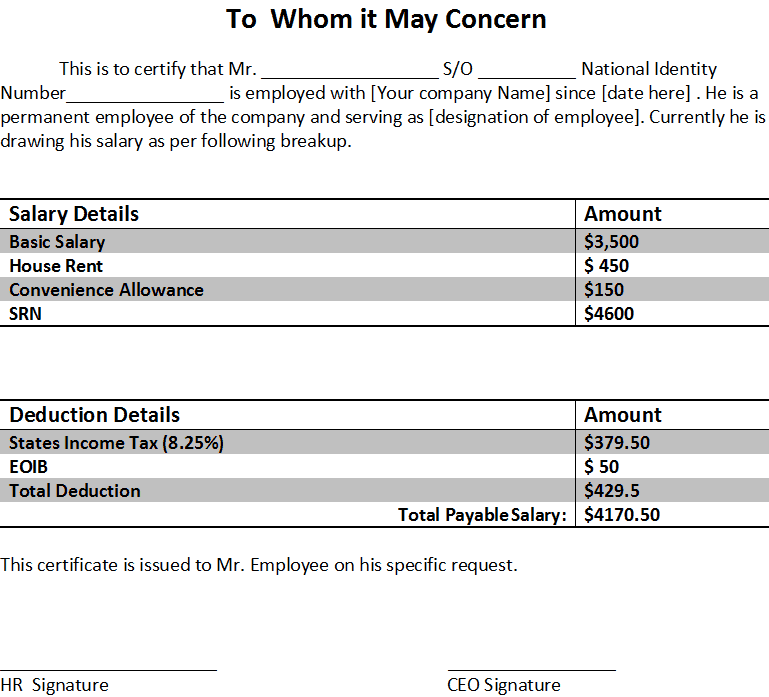
A salary certificate is usually a separate employer-issued document confirming information about an employee’s employment and salary. It may be requested for purposes such as banking, visa applications, rental applications, or other administrative requirements.
The exact format and purpose of a salary certificate can vary between organizations.
How to Create a Salary Slip Using a Template
Creating a salary slip from a template is straightforward.
Step 1: Add Company Information
Enter the employer’s name, address, logo, and any other required company details.
Step 2: Enter Employee Information
Add the employee’s name, employee ID, designation, department, and other relevant information.
Step 3: Select the Salary Period
Enter the month or pay period covered by the salary slip.
Step 4: Add Earnings
Enter the basic salary, allowances, overtime, bonuses, commissions, and other applicable earnings.
Step 5: Add Deductions
Record applicable taxes, contributions, insurance, salary advances, loan repayments, and other authorized deductions.
Step 6: Calculate Gross and Net Salary
Check the calculations carefully.
Gross Earnings − Total Deductions = Net Salary
Make sure all figures are accurate before issuing the document.
Step 7: Review the Information
Check the employee name, employee ID, salary period, earnings, deductions, and final payment.
Step 8: Save or Print
Save the completed salary slip as a digital document or print it according to your organization’s payroll process.
Benefits of Using a Salary Slip Template
A reusable template offers several practical advantages.
Saves Time
You can reuse the same basic design instead of creating a new salary document every month.
Provides Consistency
Employees receive salary statements using the same general format.
Improves Organization
Important salary information is grouped into clearly defined sections.
Makes Salary Calculations Easier to Understand
Separating earnings and deductions allows employees to see how their final pay was determined.
Supports Professional Payroll Documentation
A well-formatted salary slip presents payroll information in a clear and professional manner.
Download Free Salary Slip Templates
If you need a practical way to prepare employee salary statements, these free salary slip templates provide a useful starting point.
Choose a format that fits your payroll requirements, customize it with your company information, and enter the appropriate employee earnings and deductions.
The current DocsPile page provides a collection of salary slip template formats for download, followed by additional information about salary and salary components.
You can use the templates for different payroll situations, but remember that a template is simply a document format. It does not automatically determine whether your payroll calculations, deductions, taxes, benefits, or statutory information comply with local requirements.
Before issuing salary slips, verify the figures and make sure your payroll process follows the applicable employment and tax rules in your jurisdiction.
If you prefer an automated approach rather than manually editing a template, DocsPile also provides a Salary Slip Maker and other payroll-related tools linked from the page.
Download Free Salary Slip Templates:
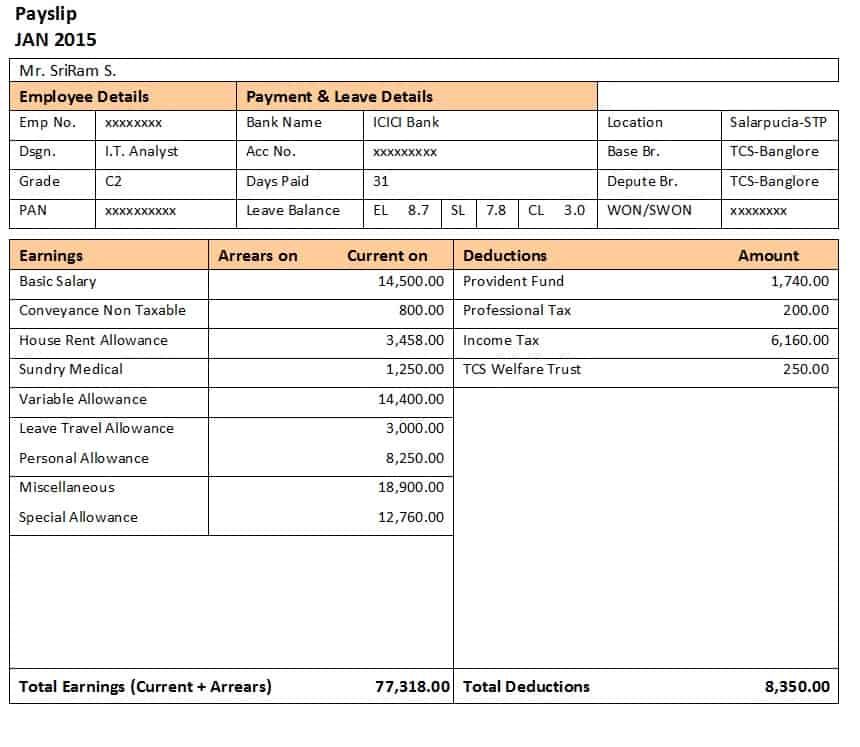
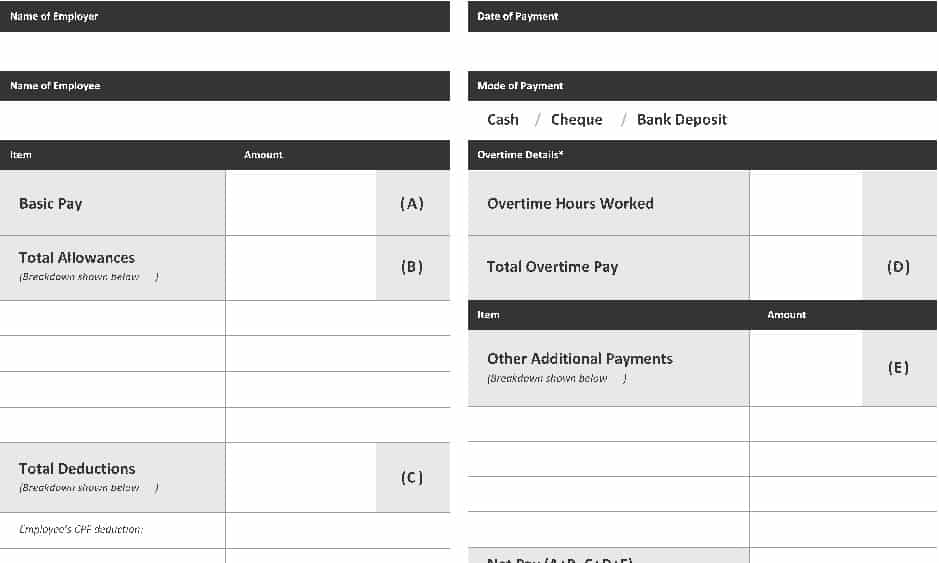
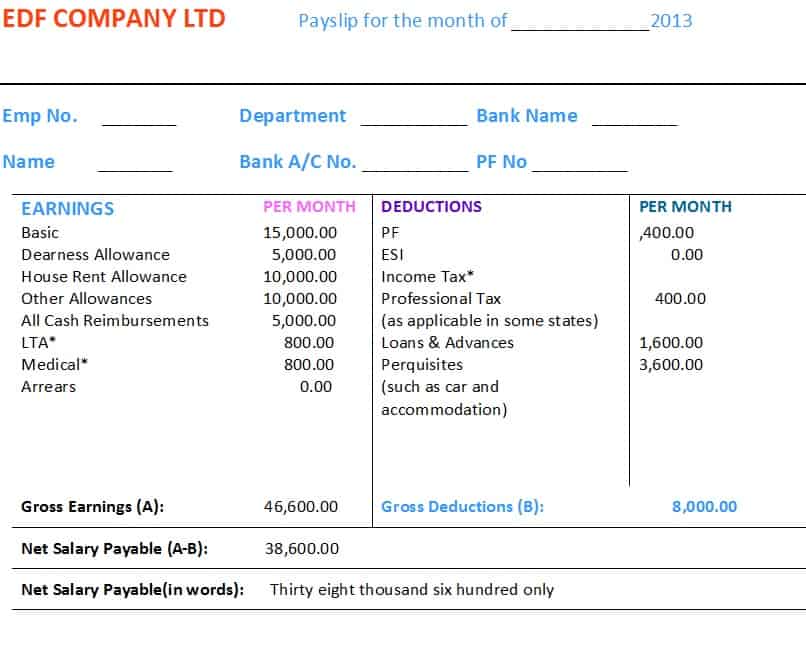
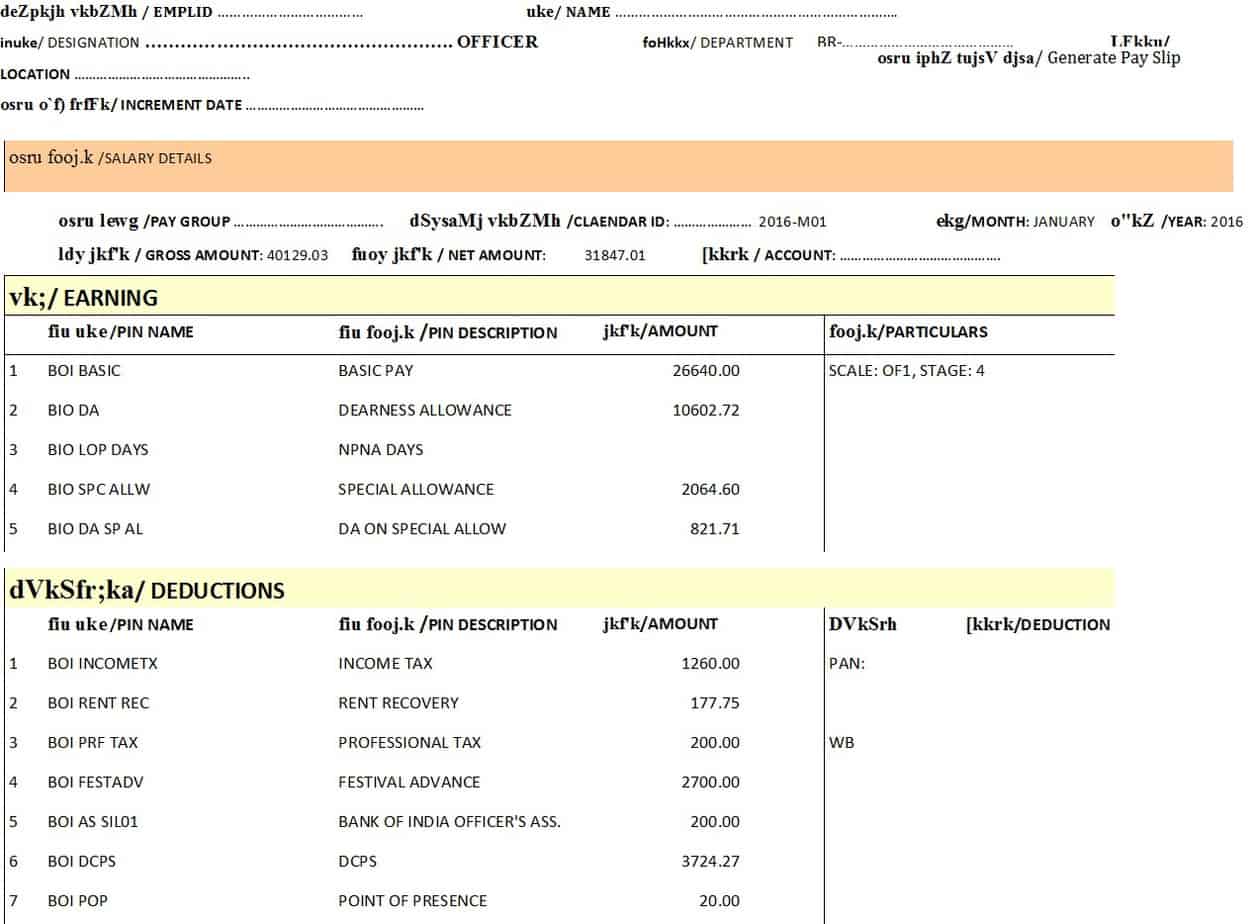
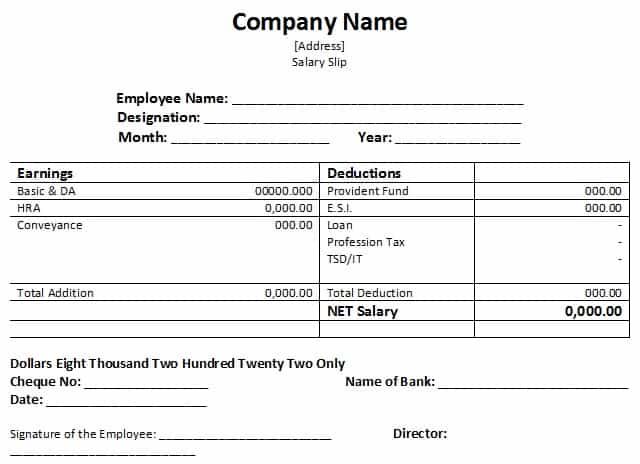
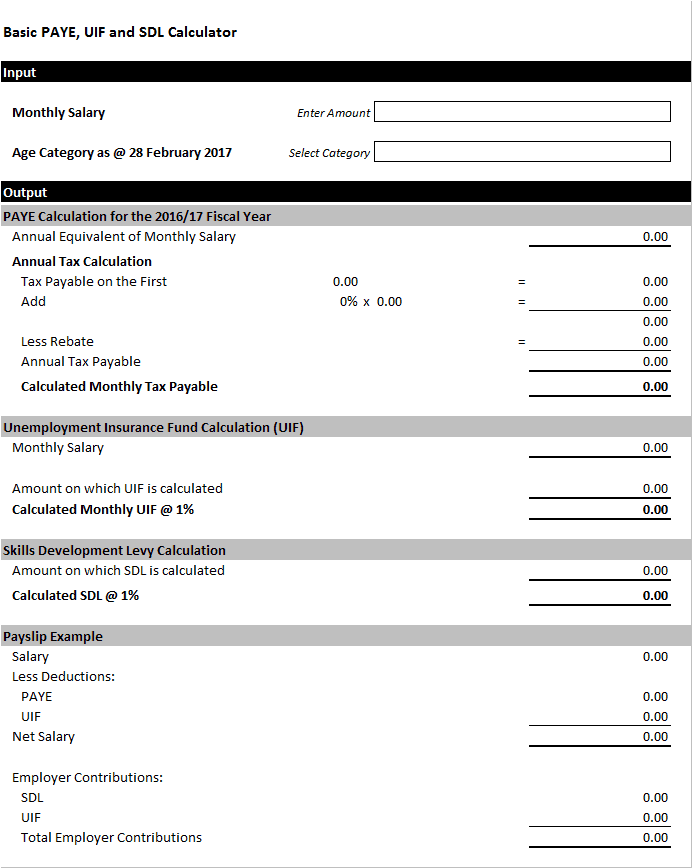
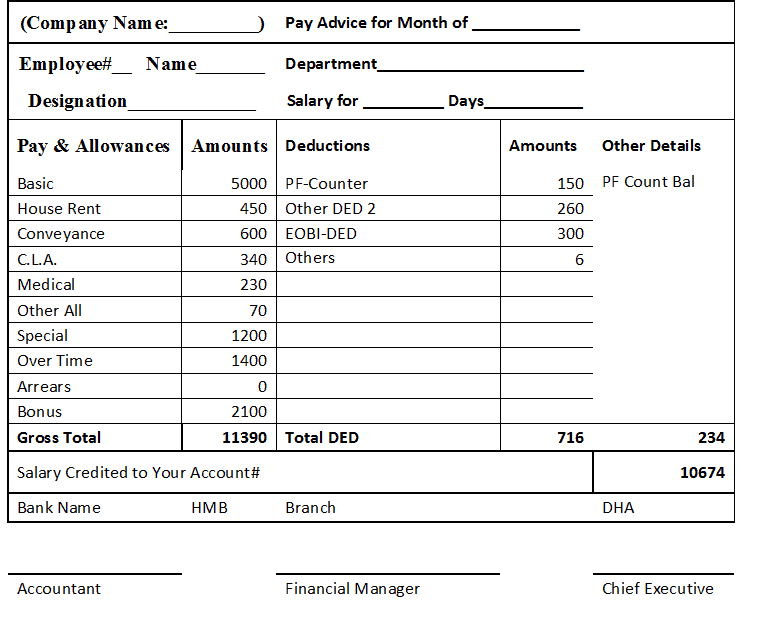
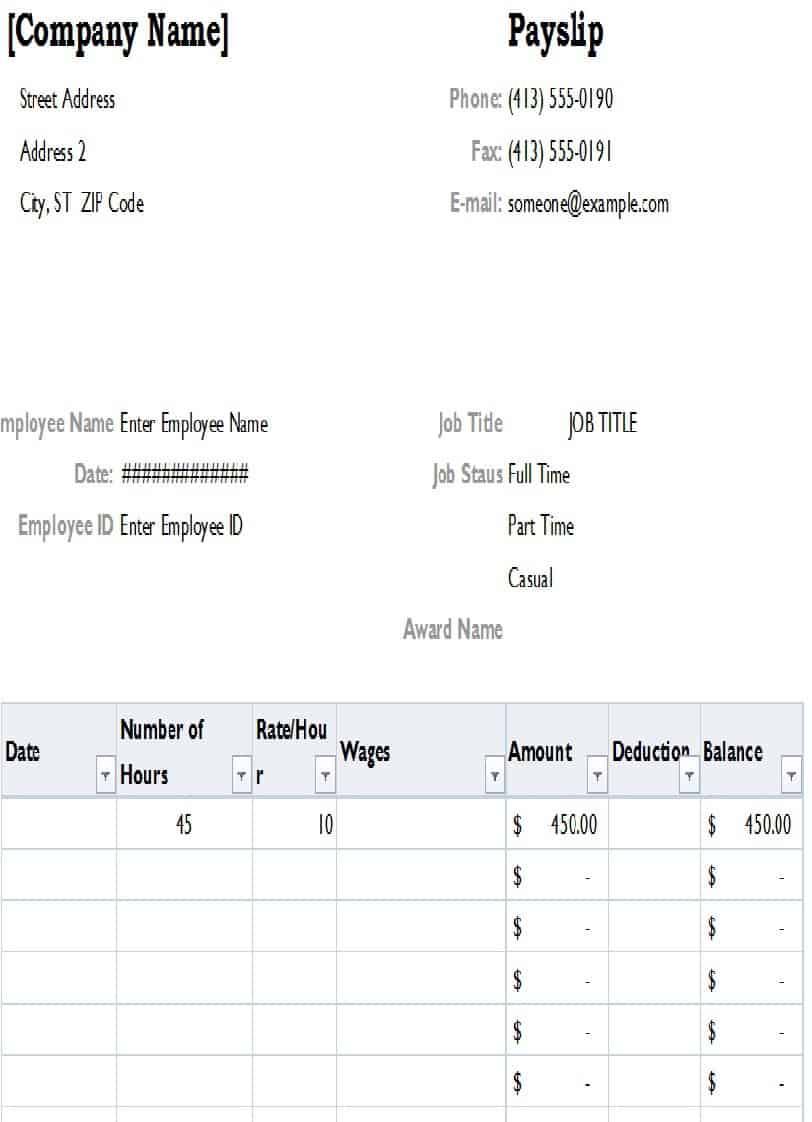
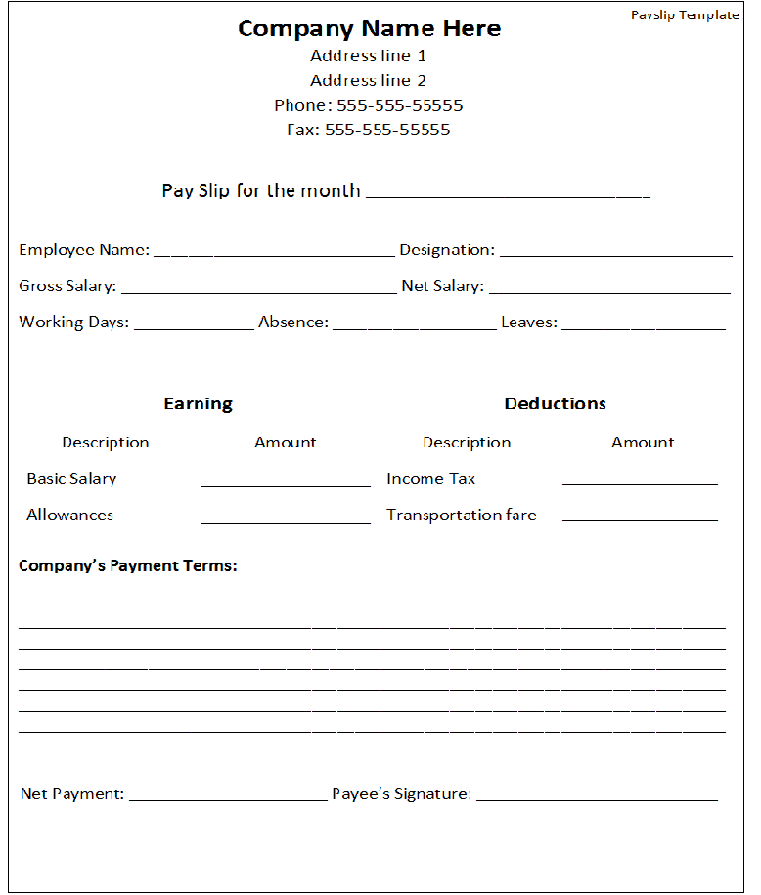
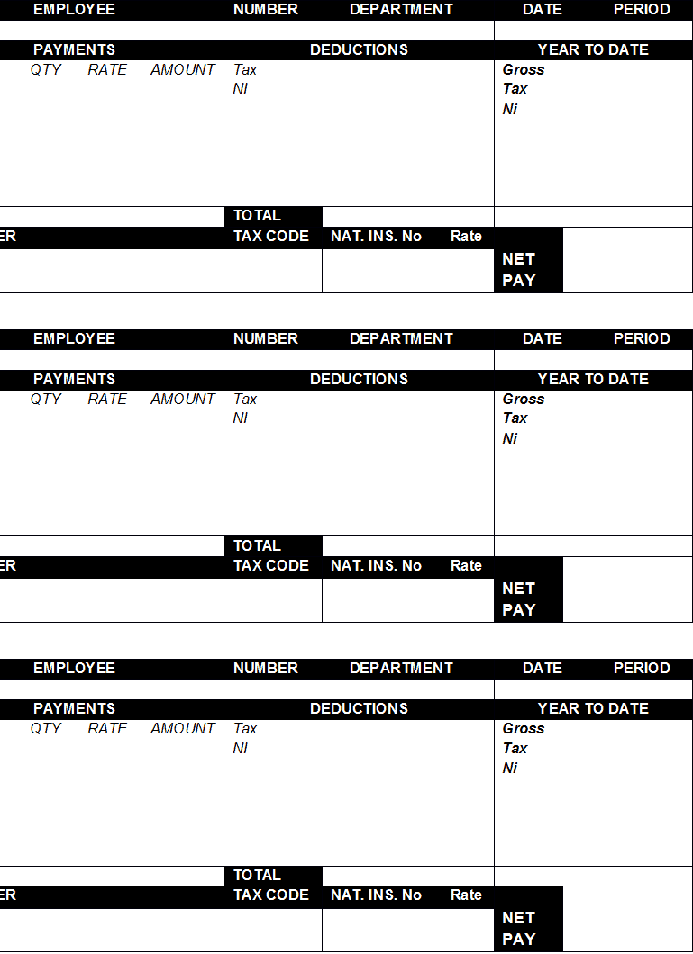
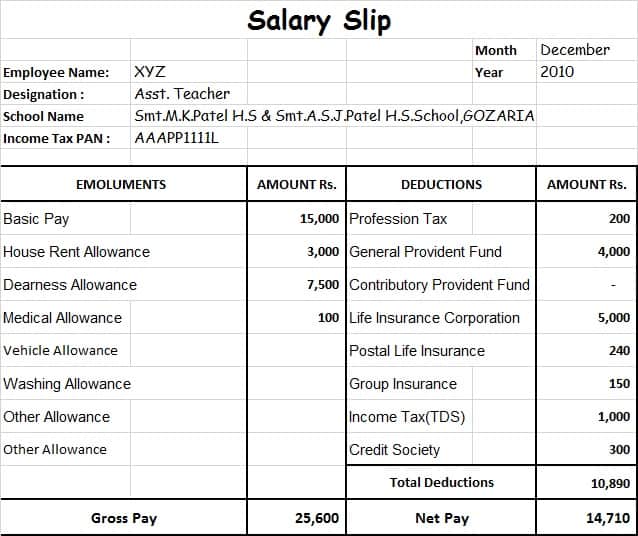
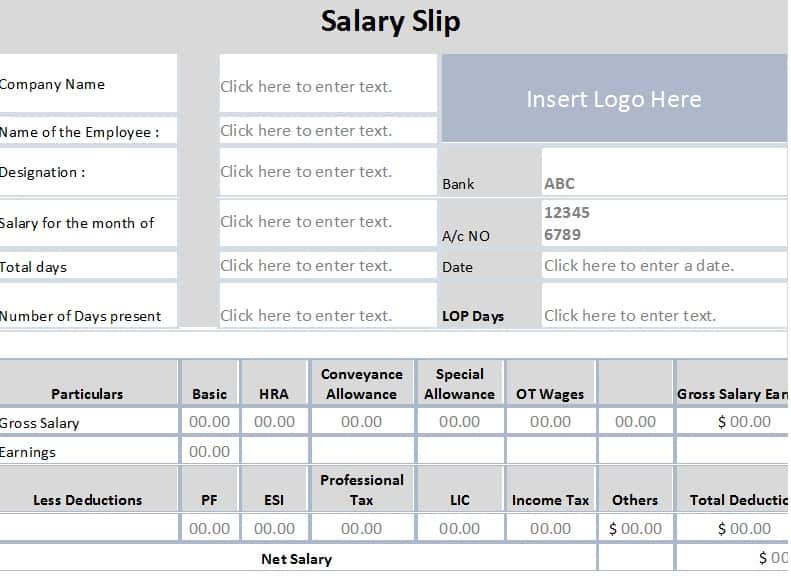
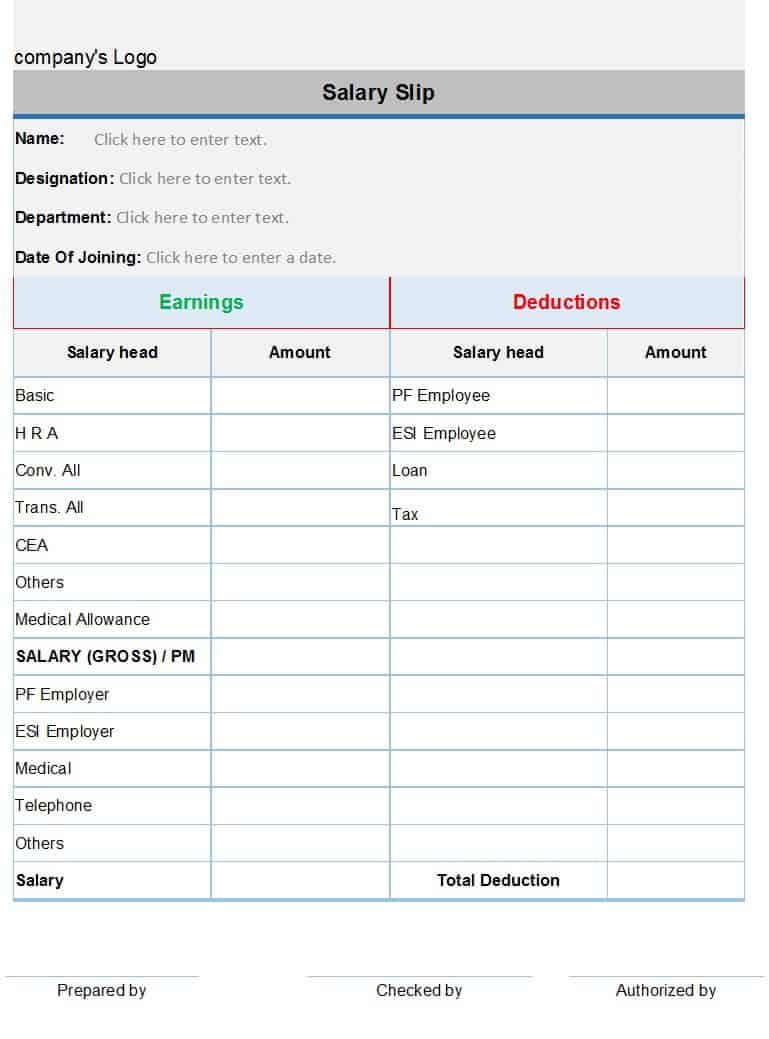
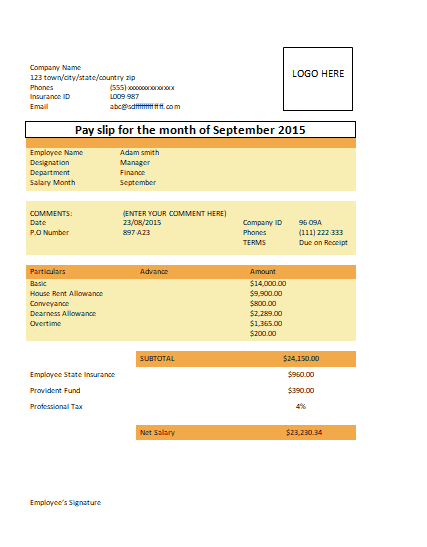
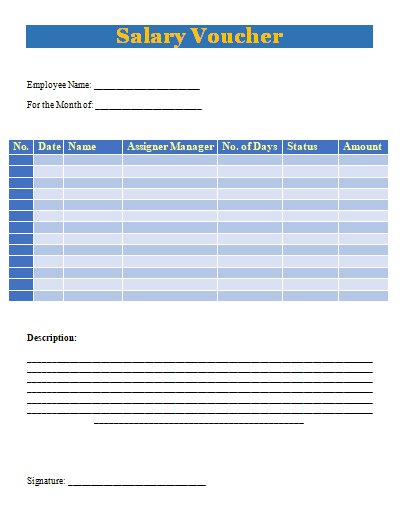
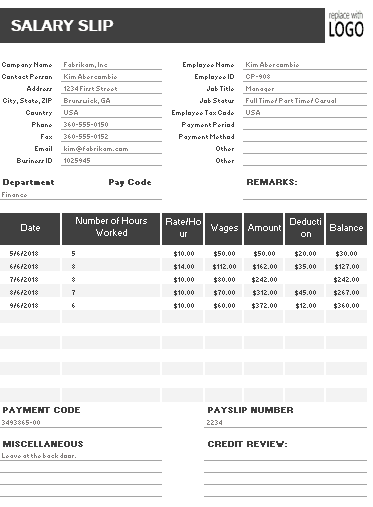
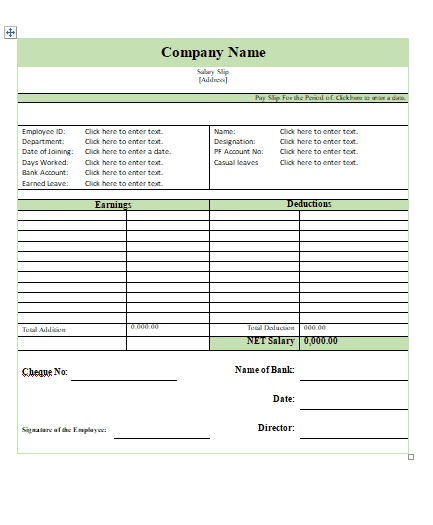
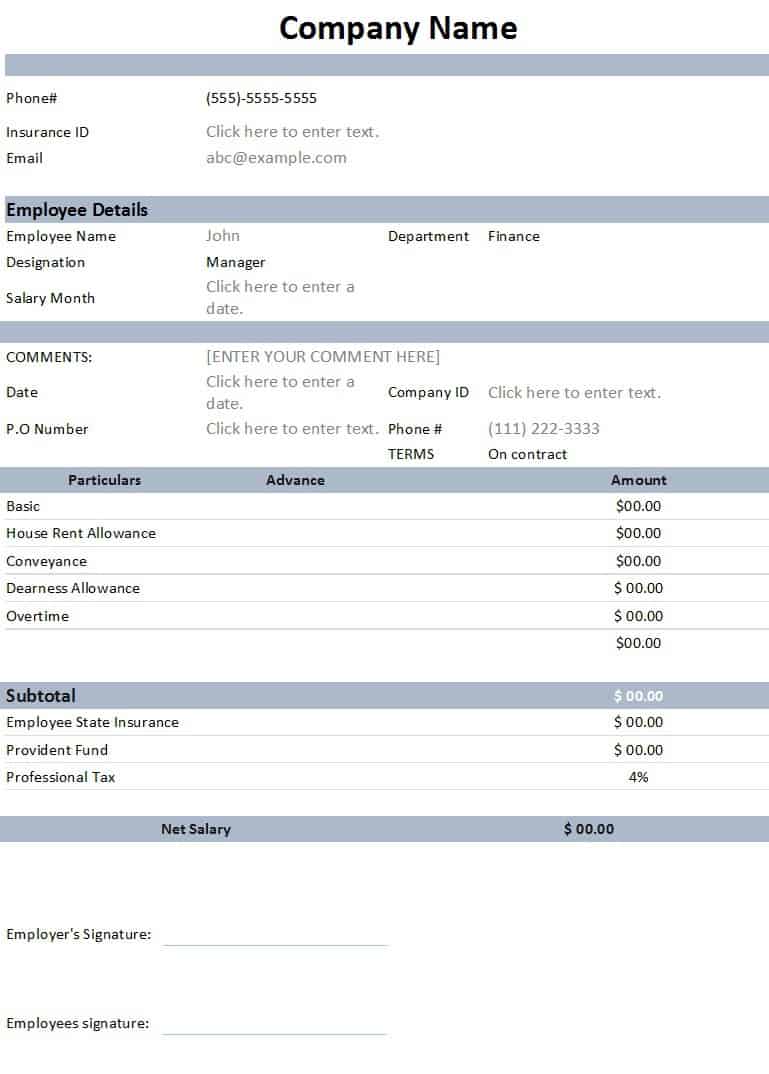
This salary slip template provides a structured format for presenting an employee’s payroll information for a particular salary period. It can be used to organize employee details, salary components, allowances, deductions, and the final amount payable in a clear document.
The template can be customized with employer information, employee details, salary figures, deductions, payment information, and other payroll fields required by the organization. It is suitable for businesses and HR departments that want a reusable salary statement format.


Frequently Asked Questions About Salary Slip Templates
What is a salary slip?
A salary slip is a document showing an employee’s earnings and deductions for a specific pay period. It commonly includes basic salary, allowances, additional earnings, deductions, gross salary, and net salary.
What is the difference between a salary slip and a payslip?
In most contexts, salary slip and payslip refer to essentially the same type of payroll document. The terminology varies by country and organization.
What should a salary slip contain?
A salary slip commonly contains employer details, employee information, pay period, basic salary, allowances, overtime or bonuses, deductions, gross earnings, total deductions, and net salary.
Can I make a salary slip in Word?
Yes. A salary slip template in Word can be edited with your company and employee information and then printed or saved as a digital document.
Can I make a salary slip in Excel?
Yes. Excel is useful for salary slips when calculations are required. Formulas can be used to calculate earnings, deductions, gross salary, and net pay, but the completed figures should always be reviewed.
Is a salary slip proof of income?
A salary slip may be accepted as income documentation by some organizations, but this depends on the organization and purpose. A bank, landlord, government agency, or other institution may require additional documents.


![17 Sample Commercial Invoice Templates [WORD & EXCEL]](http://www.docspile.com/wp-content/uploads/2026/02/watermarked_img_18098917664272764779-150x150.jpg)