Managing suppliers becomes much easier when all important vendor information is organized in one place. A supplier list template provides a simple and practical way to record supplier names, contact information, products or services, payment details, and other business information. Instead of keeping supplier records in emails, notebooks, or scattered spreadsheets, you can use a structured supplier list to keep everything organized and easy to access.
On this page, you can download a free supplier list template and customize it according to your business requirements. Whether you operate a small business, retail store, manufacturing company, office, restaurant, construction business, or wholesale operation, a supplier list can help you maintain better records and communicate with vendors more efficiently.
What Is a Supplier List?
A supplier list is a document or spreadsheet containing information about the companies or individuals that provide products, materials, equipment, or services to a business. It is sometimes also called a vendor list, supplier database, or supplier contact list.
A typical supplier list may include:
- Supplier or company name
- Contact person’s name
- Phone number
- Email address
- Business address
- Website
- Products or services supplied
- Supplier category
- Payment terms
- Delivery information
- Supplier status
- Notes and additional information
The exact information you include depends on the type and size of your business. A small company may only need basic contact details, while a purchasing department may require additional information such as supplier codes, payment terms, delivery schedules, and product categories.
Free Supplier List Template
Our free supplier list template gives you a ready-made structure for organizing your vendor information. Instead of creating a supplier database from scratch, you can download the template, enter your information, and modify the fields to suit your business.
The template can be useful for maintaining a centralized record of suppliers and making important contact information easier to find. If your business works with multiple vendors, having a consistent format can also make supplier management more efficient.
You can add new suppliers whenever your business expands and update existing records when contact information, products, or other details change.
Why Use a Supplier List Template?
Keeping an accurate supplier list can save time and reduce unnecessary administrative work. When supplier information is organized in a structured format, employees can quickly find the vendor they need without searching through multiple files or messages.
A supplier list template can help you:
Keep Supplier Information Organized
Instead of storing supplier information in different locations, you can maintain it in a single document. This makes it easier to review and update your supplier records.
Find Vendor Contact Details Quickly
A supplier contact list allows you to quickly locate phone numbers, email addresses, business addresses, and other important details when you need to contact a vendor.
Manage Multiple Suppliers
Businesses often work with dozens or even hundreds of suppliers. A structured vendor list template can help you maintain consistent records as the number of suppliers grows.
Improve Purchasing and Procurement
A well-maintained supplier database can support purchasing activities by helping employees identify which suppliers provide particular products or services. It can also make it easier to compare and review existing vendors.
Reduce Record-Keeping Errors
Using a standard supplier list format reduces the chance of forgetting important information. You can create consistent fields for every supplier and update the information whenever necessary.
What Information Should a Supplier List Include?
There is no single format that every business must follow. The best supplier list includes the information that is actually useful for your purchasing and vendor-management process.
For a basic supplier contact list, consider including the supplier’s company name, contact person, phone number, email address, physical address, and products or services provided.
For a more detailed supplier database template, you can add supplier ID, category, payment terms, delivery time, website, account information, status, and notes.
For example, a purchasing department might organize suppliers using columns such as:
Supplier Name | Contact Person | Phone | Email | Product/Service | Payment Terms | Delivery Time | Status | Notes
This format makes the document useful as both a contact directory and a basic vendor management tool.
Supplier List Template for Small Businesses
Small businesses may not need complicated procurement software to maintain basic supplier records. A simple supplier list template for small business can provide an inexpensive and practical starting point.
Retailers can use it to record wholesalers and product suppliers. Restaurants can maintain records of food and beverage suppliers. Contractors can keep track of building-material suppliers and service providers. Offices can use a vendor list to manage suppliers of stationery, equipment, cleaning services, and other business necessities.
The template can also be customized as the business grows. Additional columns can be added whenever more detailed supplier information becomes necessary.
Supplier List Template in Excel
An Excel supplier list template is particularly useful when you have a large number of vendors. Excel makes it possible to sort and filter supplier information, add new records, search for specific vendors, and organize suppliers according to different categories.
For example, you could create categories such as:
- Raw materials
- Office supplies
- Packaging
- Equipment
- Transportation
- Maintenance
- Professional services
- Technology
- Wholesale products
This makes it easier to locate suppliers based on the products or services they provide.
How to Use a Supplier List Template
Using the template is straightforward.
1. Download the template: Choose the supplier list format that best matches your requirements.
2. Enter supplier information: Add the name, contact details, products or services, and other relevant information for each vendor.
3. Customize the fields: Remove unnecessary columns or add fields that are important to your business.
4. Organize your suppliers: Sort suppliers by company name, category, product, location, or another useful classification.
5. Keep the list updated: Review your supplier records regularly and update outdated phone numbers, email addresses, addresses, payment terms, or supplier status.
6. Save a backup: Keep a secure backup of your supplier database so that important business contacts are not lost.
Supplier List vs. Vendor List
The terms supplier list and vendor list are often used interchangeably. Both generally refer to a record of businesses or individuals that provide goods or services to an organization.
Some businesses prefer the term supplier because they mainly purchase products or materials, while others use vendor to describe a broader range of companies providing goods and services. In either case, a structured list helps keep important business relationships organized.
Download Your Free Supplier List Template
A well-organized supplier list can become an important part of your everyday business administration. Whether you need a simple supplier contact list or a more detailed vendor database, starting with a ready-made template can save time and provide a consistent structure for your records.
Download the free supplier list template from this page and customize it for your business. Add your suppliers, update their information regularly, and use the list as a convenient reference whenever you need to contact or review a vendor.
With a clear and up-to-date supplier database, your business can spend less time searching for information and more time focusing on purchasing, inventory, operations, and growth.
Download Supplier List Template:
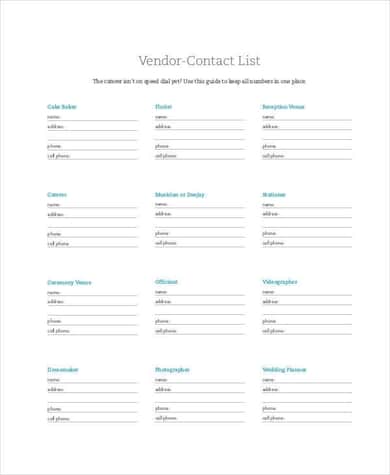
This supplier list template is designed as a structured business record for organizing information about vendors and suppliers. Its layout provides a practical framework for entering supplier-related information in an orderly format, making it easier for a business owner, purchasing employee, or office administrator to maintain a centralized supplier directory.
The template can be used for businesses that regularly purchase products, raw materials, equipment, or services from multiple vendors. By keeping supplier information together in one document, users can quickly find important contact and business details when placing orders, communicating with vendors, or reviewing their current supplier network.
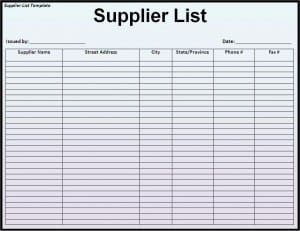
Download this supplier list template here.

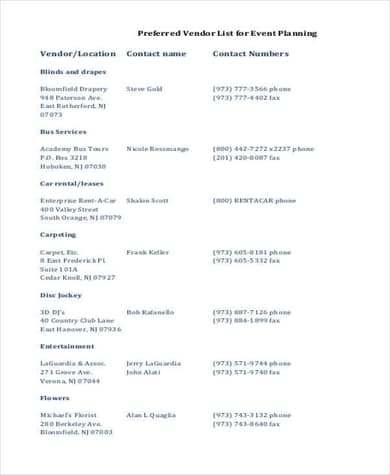
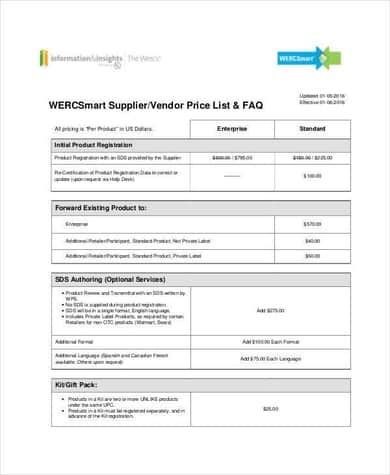
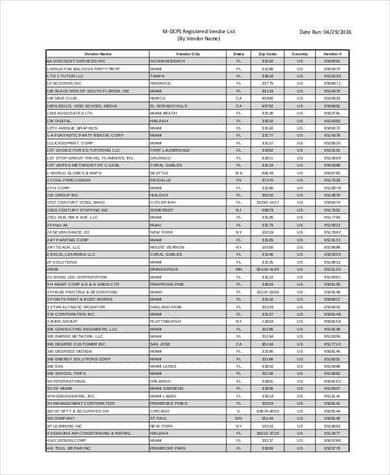
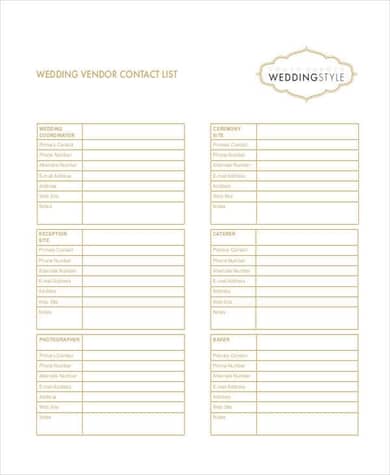
This supplier list example provides another visual reference for organizing supplier or vendor information in a business setting. A structured supplier record can help users keep important information together rather than relying on separate notes, emails, or individual documents for each vendor.
The format can be adapted for different types of businesses by adding relevant fields such as supplier category, products supplied, contact information, payment terms, delivery details, and notes. It can therefore serve as a useful starting point for creating a customized supplier database or vendor contact list.
Frequently Asked Questions
What is a supplier list template?
A supplier list template is a ready-made document or spreadsheet used to record and organize information about suppliers and vendors. It commonly includes company names, contact details, products or services, and other business information.
What should be included in a supplier list?
A basic supplier list can include the supplier name, contact person, phone number, email address, business address, products or services, and notes. Businesses can add payment terms, delivery information, supplier ID, and other fields when needed.
Can I use a supplier list template for a small business?
Yes. A supplier list template is useful for small businesses, retailers, restaurants, contractors, offices, manufacturers, wholesalers, and many other organizations that work with suppliers.
Is a supplier list the same as a vendor list?
In most business situations, supplier list and vendor list refer to similar records. Both are used to organize information about companies or individuals that provide goods or services to a business.
Can I create a supplier list in Excel?
Yes. Excel is a popular option for creating a supplier database because you can sort, filter, search, and update supplier records. An Excel supplier list can also be expanded as your business adds more vendors.
How often should I update my supplier list?
You should update your supplier list whenever important information changes. It is also useful to review the complete list periodically to remove outdated records and verify contact information.
Why is a supplier contact list important?
A supplier contact list provides quick access to important vendor information. It can save employees time, improve communication, and make purchasing and procurement activities easier to manage.
Is the supplier list template customizable?
Yes. You can customize the template by adding, removing, or changing fields according to your business requirements. This allows the same basic template to be used for different industries and supplier-management needs.