A payslip is an important payroll document that provides an employee with a clear breakdown of their earnings and deductions for a specific pay period. It helps employees understand how their salary was calculated and gives employers a professional record of payments made to their staff.
For businesses that prepare payroll manually, creating a new payslip from scratch for every employee can be time-consuming. A ready-to-use payslip template provides a structured format that can be customized with employee information, salary details, allowances, deductions, and net pay.
On this page, you can find free payslip templates that can be customized for different payroll requirements. These templates are useful for small businesses, companies, HR departments, accountants, schools, organizations, and other employers that need a straightforward way to prepare employee salary statements.
The current page provides 14 payslip template options and allows users to download and customize the templates for their own requirements.
What Is a Payslip?
A payslip, also called a pay slip, salary slip, pay stub, or salary statement, is a document that shows an employee’s earnings and deductions for a particular pay period.
A typical payslip may show the employee’s basic salary, allowances, overtime, bonuses, deductions, taxes, contributions, and final net salary.
For example, an employee’s monthly payslip might include:
- Employee name
- Employee ID
- Job title or designation
- Department
- Pay period
- Basic salary
- Housing allowance
- Transport allowance
- Overtime
- Bonus or commission
- Tax deductions
- Insurance deductions
- Retirement or pension contributions
- Loan or salary advance deductions
- Other deductions
- Gross salary
- Net salary
The exact information required depends on the employer, payroll system, and applicable employment and tax rules.
Why Use a Payslip Template?
Preparing payslips manually can become repetitive when a business has several employees. A reusable employee payslip template makes the process more organized and reduces the amount of formatting required each month.
A template can help you:
- Save time preparing employee salary statements
- Maintain consistent payroll documentation
- Organize earnings and deductions
- Clearly show gross and net salary
- Provide employees with a professional salary statement
- Keep payroll records organized
- Create printable payslips
- Customize the format for your company
- Reuse the same design for future pay periods
A standardized format is particularly useful for small businesses that may not have dedicated payroll software.
Free Payslip Templates
The collection on this page provides 14 free payslip templates that can be used as a starting point for creating employee salary statements.
Rather than designing a payroll document from a blank page, you can choose a suitable format and customize it with your company’s information and payroll structure.
The templates can be adapted to include your business name, logo, employee details, salary components, allowances, deductions, payment date, and other information relevant to your payroll process.
What Should a Payslip Include?
A professional payslip should clearly explain how the employee’s final payment was calculated.
Employee Information
Start with basic employee information such as:
- Full name
- Employee number
- Job title
- Department
- Date of employment, where relevant
This helps ensure that the payslip is associated with the correct employee.
Employer Information
The payslip should identify the employer or organization. Depending on the requirements of the business, this may include the company name, address, contact information, tax or registration details, and other relevant information.
Pay Period
Clearly state the period covered by the payslip.
For monthly payroll, this could be a particular calendar month. For weekly or biweekly payroll, specify the relevant dates.
Basic Salary
Basic salary is the employee’s regular salary before additional earnings and deductions are applied.
If the employee receives a fixed monthly salary, this amount can be shown as the basic salary component.
Allowances and Additional Earnings
Many employees receive compensation in addition to their basic salary.
Depending on the organization, additional earnings might include:
- Housing allowance
- Transportation allowance
- Meal allowance
- Communication allowance
- Overtime
- Commission
- Bonus
- Performance incentives
- Other benefits
Each component should be clearly identified rather than combining unrelated amounts into one unexplained figure.
Gross Salary
Gross salary generally represents total earnings before applicable deductions.
For example:
Basic Salary + Allowances + Overtime + Bonus = Gross Earnings
The exact calculation can vary depending on the payroll system and compensation structure.
Deductions
Deductions reduce the employee’s gross earnings to arrive at the final amount payable.
Depending on the employee and jurisdiction, deductions may include:
- Income tax
- Social security contributions
- Insurance
- Retirement contributions
- Salary advances
- Loan repayments
- Unpaid leave adjustments
- Other authorized deductions
Employers should ensure that deductions are handled according to applicable laws and employment agreements.
Net Salary
The net salary is the amount remaining after the applicable deductions have been subtracted from gross earnings.
A simple calculation can be represented as:
Gross Earnings − Total Deductions = Net Pay
The net amount is generally the figure the employee receives through cash, cheque, bank transfer, or another approved payment method.
Payslip Template vs. Salary Slip Template
The terms payslip template and salary slip template are often used interchangeably.
Both generally refer to a document showing an employee’s earnings and deductions for a particular pay period.
The preferred terminology varies between countries. In some regions, payslip or pay slip is common, while salary slip is frequently used in other markets.
For SEO purposes, it makes sense for this page to naturally mention both terms because users may search for either free payslip templates or salary slip templates when looking for the same type of document.
Payslip Template in Word
A payslip template in Word is a convenient choice for employers who want an editable document that can be customized quickly.
Microsoft Word makes it easy to add:
- Company logo
- Employer details
- Employee information
- Salary components
- Deductions
- Payment date
- Signature fields
- Additional notes
Word is particularly useful for businesses with a relatively small number of employees or for employers who want to manually prepare individual payslips.
Once completed, the document can also be saved or exported as a PDF for digital distribution.
Payslip Template in Excel
An Excel payslip template can be especially useful when salary calculations are involved.
Excel allows you to use formulas for:
- Basic salary
- Allowances
- Overtime
- Bonuses
- Total earnings
- Individual deductions
- Total deductions
- Net salary
For businesses with recurring monthly payroll, Excel can reduce repetitive calculations and make it easier to maintain structured payroll records.
However, formulas should always be checked carefully. A spreadsheet error can result in an incorrect payslip, so employers should verify the final figures before distributing payroll documents.
Printable Payslip Template
A printable payslip template is useful for employers who provide physical salary statements to employees.
A printable format should be clean and easy to read, with important information clearly separated into earnings, deductions, and net pay.
Even when salaries are deposited directly into employees’ bank accounts, a payslip can still provide a useful written or digital record of how the final amount was calculated.
Payslip for Small Businesses
Small businesses often do not need expensive payroll systems, particularly when they have a limited number of employees.
A reusable small business payslip template can provide a simple way to document monthly salary payments.
Business owners can create a master template containing their company information and then update employee and salary details for each pay period.
As the business grows, the payroll process can later be integrated with dedicated accounting or payroll software.
Why Are Payslips Important?
Payslips provide transparency between employers and employees.
An employee can use the document to see how their salary was calculated rather than receiving only a final payment amount.
For employers, payslips provide a consistent record of payroll transactions and can help answer questions about earnings and deductions.
A payslip may also be useful to an employee when documenting income for certain financial or administrative purposes, depending on the requirements of the organization requesting it. The current DocsPile page notes that payslips may be requested in situations such as applying for a bank loan.
Payslip and Direct Deposit
Modern payroll systems often transfer employee salaries directly into bank accounts. This means employees may receive their salary electronically rather than through physical cash or a paper cheque.
However, direct deposit does not eliminate the usefulness of a payslip.
The bank transaction shows that money was transferred, while the payslip explains the calculation behind that payment.
For example, an employee may see a bank deposit of a particular amount, while the payslip explains that the amount represents:
Gross salary + allowances − deductions = net salary
This makes the payslip an important payroll communication document even when payments are completely electronic.
How to Create a Payslip Using a Template
Creating an employee payslip from a template is straightforward.
Step 1: Add Employer Details
Enter your company or organization’s name, address, logo, and other relevant information.
Step 2: Enter Employee Information
Add the employee’s name, employee ID, designation, department, and other identifying information.
Step 3: Select the Pay Period
Enter the month, week, or other period covered by the salary payment.
Step 4: Enter Earnings
Add the employee’s basic salary and any applicable allowances, overtime, bonuses, commissions, or other earnings.
Step 5: Enter Deductions
Record applicable taxes, contributions, insurance, advances, loans, and other authorized deductions.
Step 6: Calculate Gross and Net Pay
Verify the total earnings and deductions and calculate the final net salary.
Step 7: Review the Payslip
Check the employee name, pay period, figures, deductions, and final amount before issuing the document.
Step 8: Save or Print
Provide the completed payslip to the employee in the appropriate format. You can retain a copy for your payroll records according to your organization’s record-keeping procedures.
Payslip Template for Employees
A payslip is useful not only for employers but also for employees.
Employees can use their payslips to understand:
- How much they earned
- Which allowances they received
- How much was deducted
- Their final net salary
- Their payroll history
Keeping payslips can also help employees maintain their own financial records.
When an organization requests proof of income, it may ask for documents such as payslips, bank statements, or an employment/salary certificate. The exact requirements depend on the institution and purpose.
Payslip Template for HR Departments
Human resources departments often manage payroll information for many employees.
Using a standardized HR payslip template can make salary documentation more consistent across the organization.
An HR department can maintain a master format and update it whenever the company’s salary structure or required payroll information changes.
For larger organizations, however, templates should complement rather than replace appropriate payroll controls and systems.
Payslip vs. Pay Stub
A payslip and pay stub generally refer to similar payroll documents.
Both provide employees with information about their earnings and deductions.
The terminology differs by region. Pay stub is particularly common in the United States, while payslip is widely used in the United Kingdom and several other countries.
Regardless of the terminology, the important purpose is the same: providing a breakdown of an employee’s compensation for a particular pay period.
Download Free Payslip Templates
If you need a straightforward way to prepare employee salary statements, these free payslip templates provide a useful starting point.
Choose a format that fits your payroll process, customize it with your company and employee information, and enter the appropriate earnings and deductions for each pay period.
The page currently provides 14 payslip template options, with a download area where users can access and customize the available formats.
A template can save time and provide a professional structure, but it should always be reviewed before being used for actual payroll. Make sure salary calculations, deductions, employee information, and applicable legal requirements are correct.
If you want to automate the process instead of editing a template manually, DocsPile also offers an online Salary Slip Maker that can generate salary slips with automatic calculations.
Download Payslip Templates:
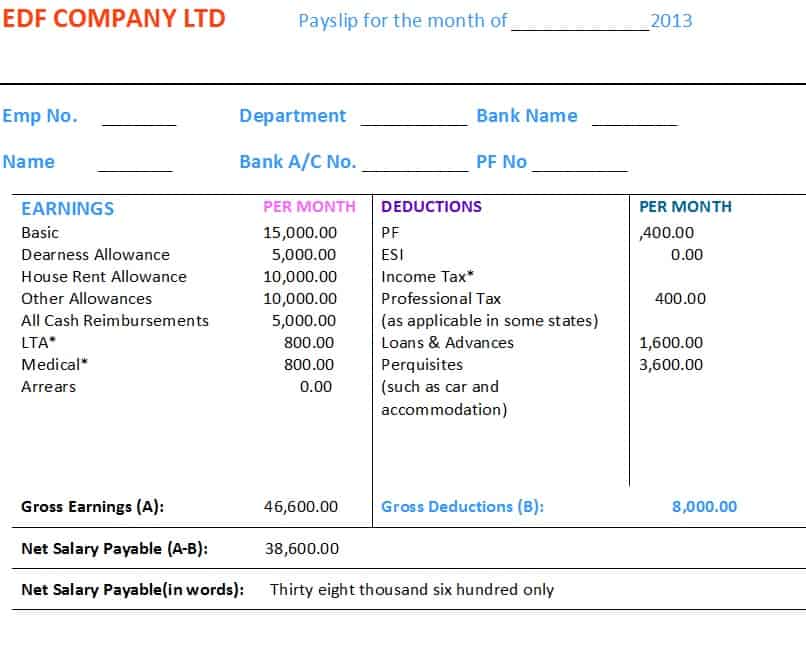
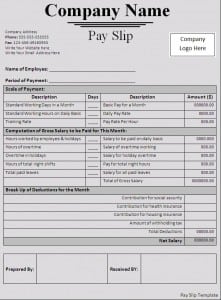
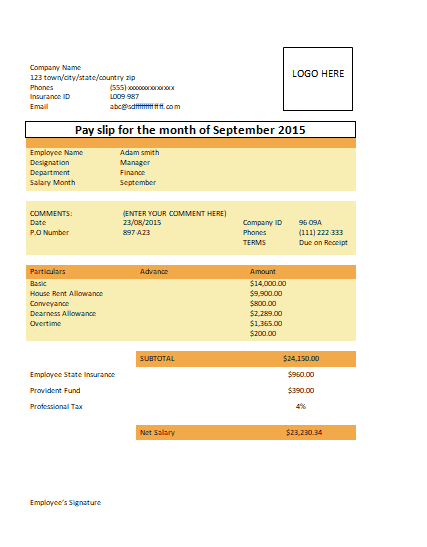
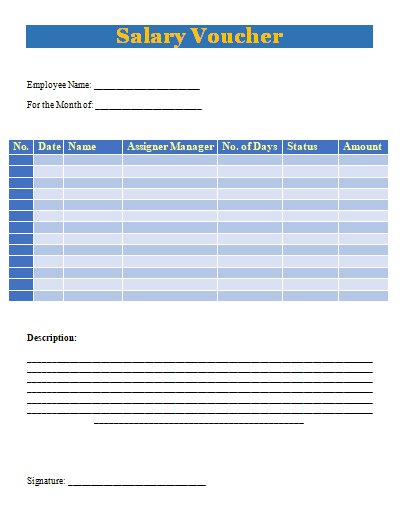
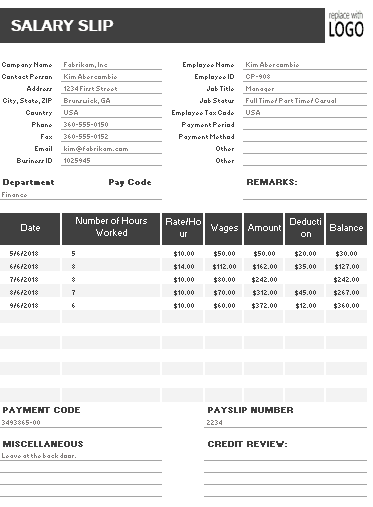
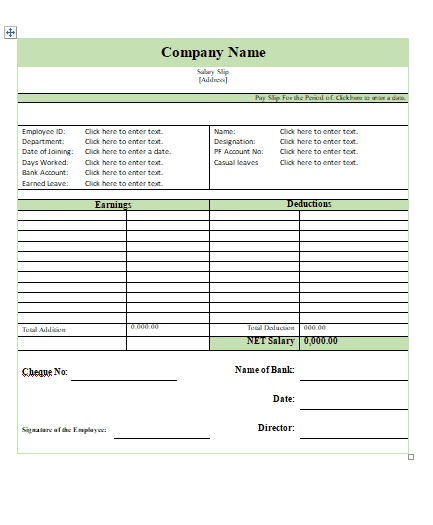
This payslip template provides a structured format for documenting an employee’s salary for a specific pay period. It can be used to organize employer and employee information together with salary components, earnings, deductions, and the final net amount payable.
The format is suitable for businesses, HR departments, accountants, and employers who want a reusable salary statement instead of creating a payslip from a blank document. Users can customize the template with their company details, employee information, payroll figures, and applicable deductions.
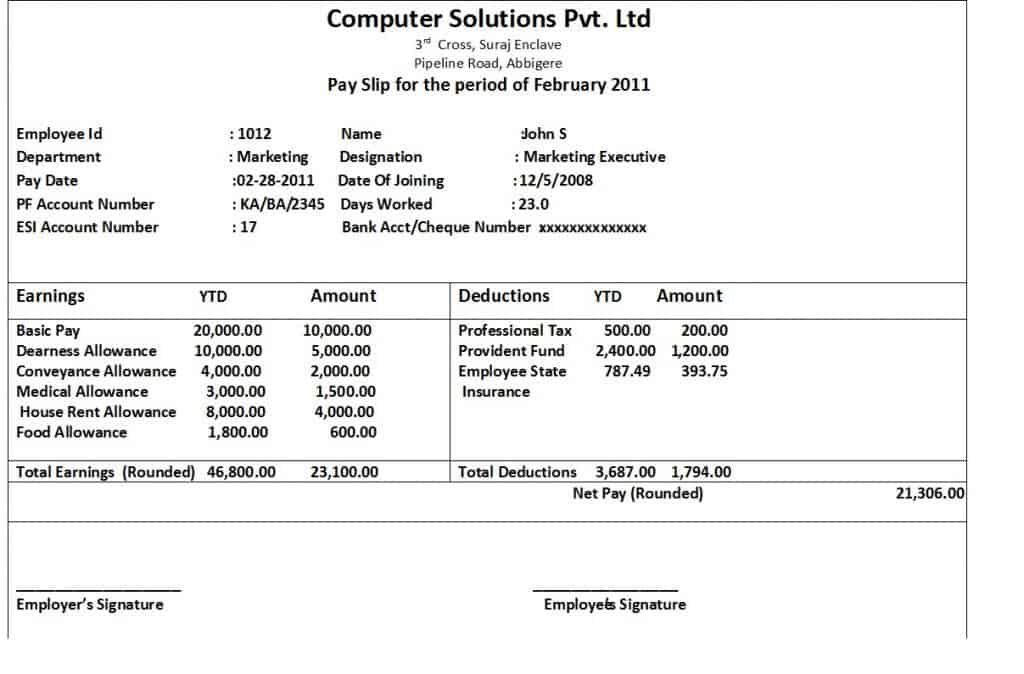

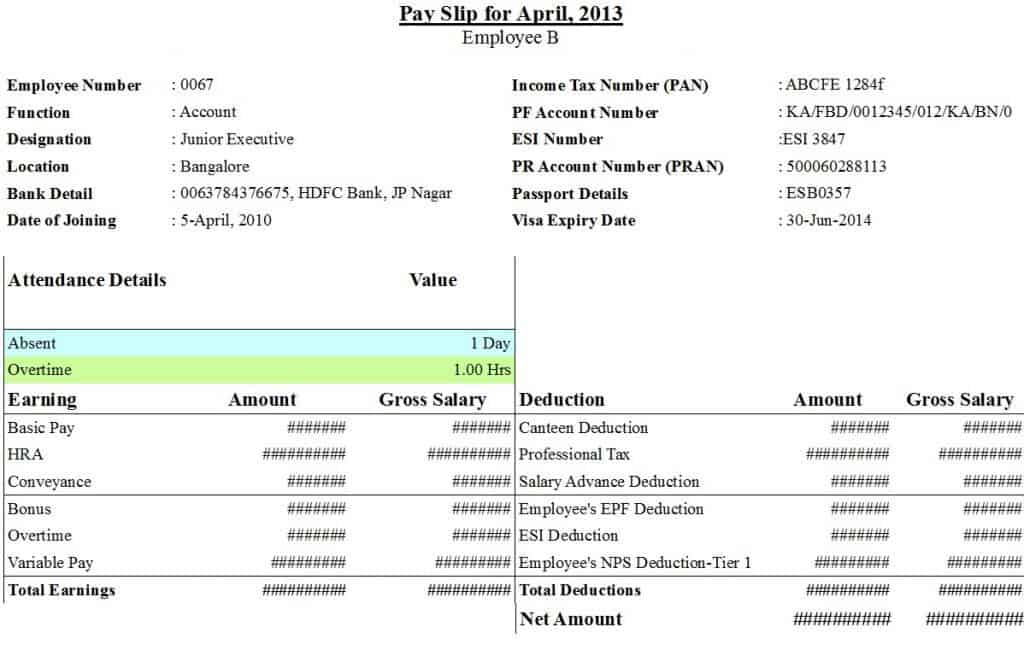
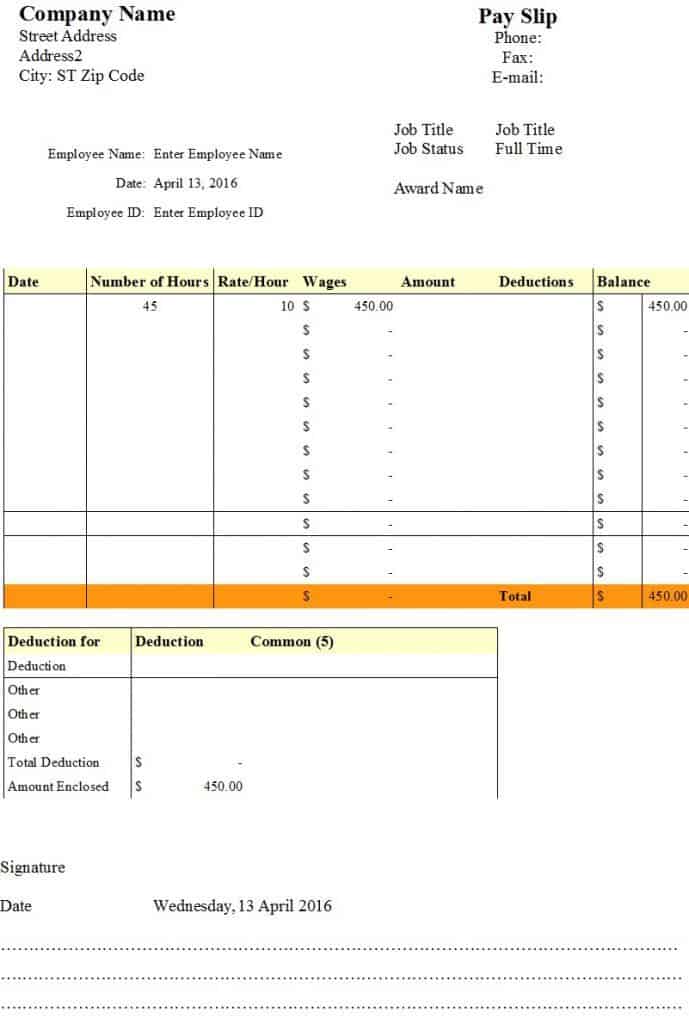
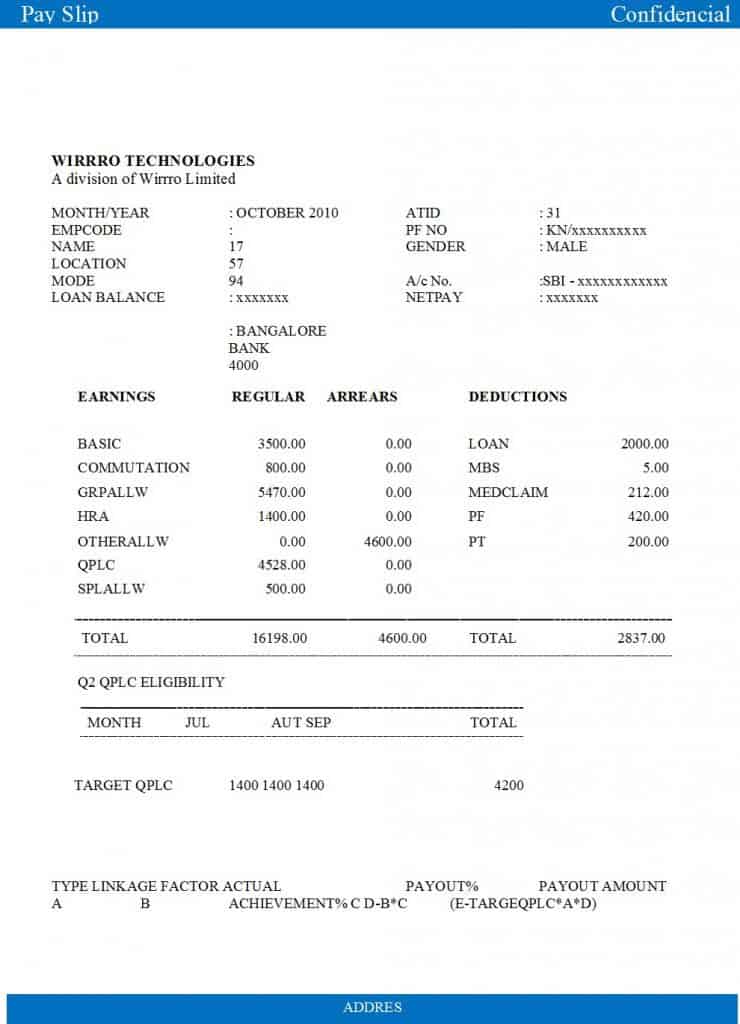
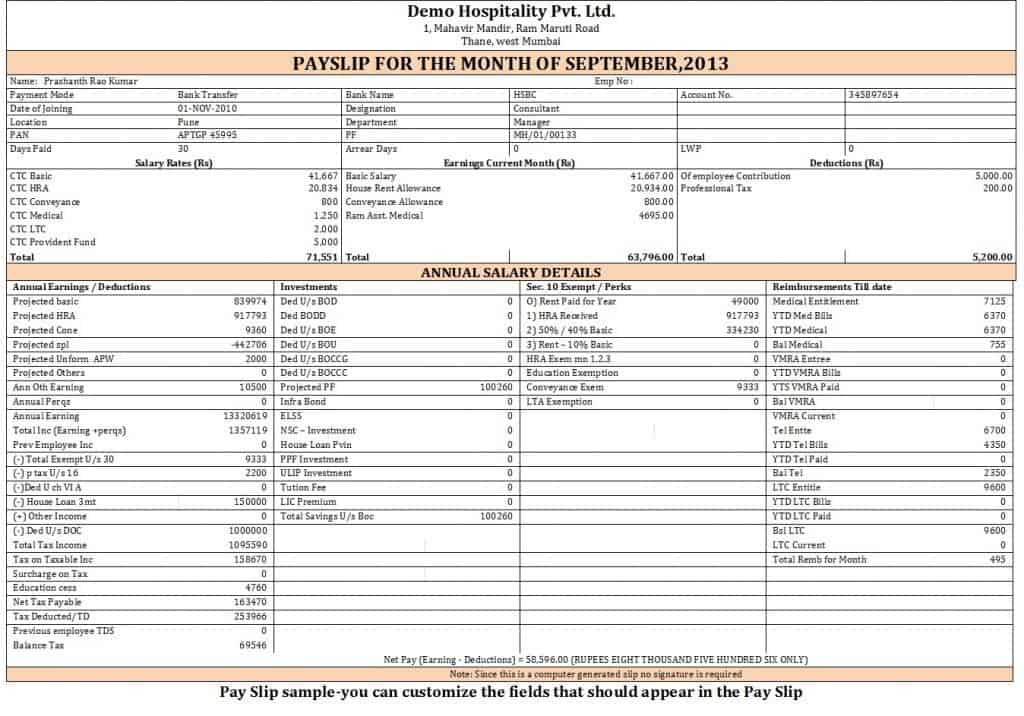
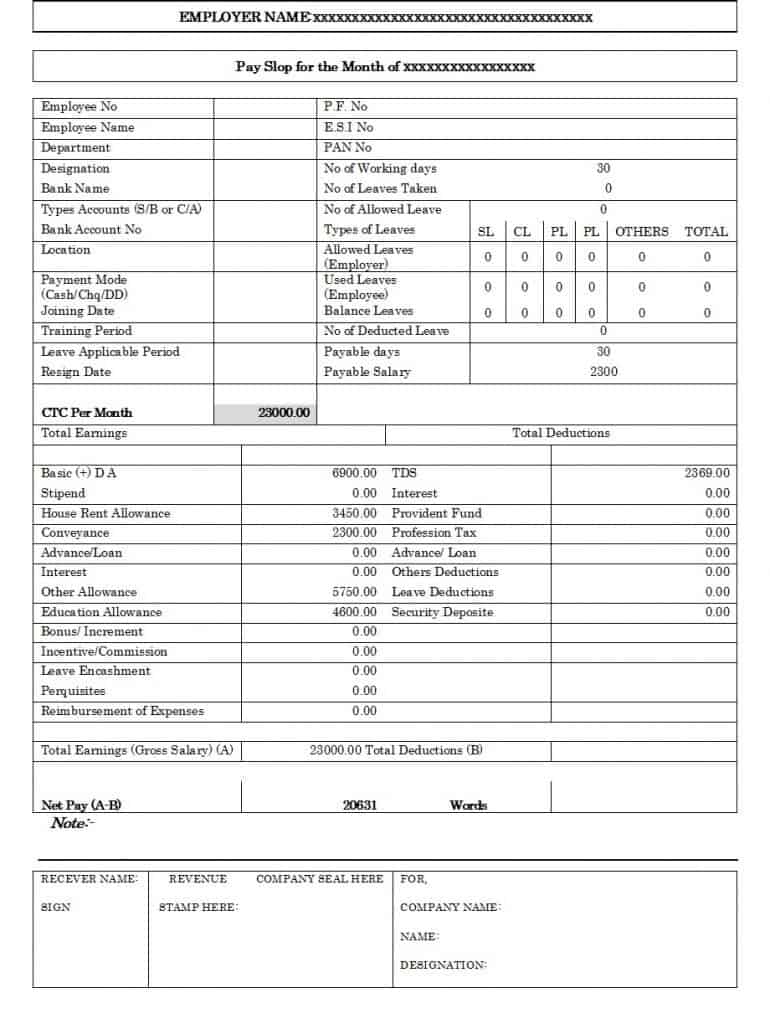
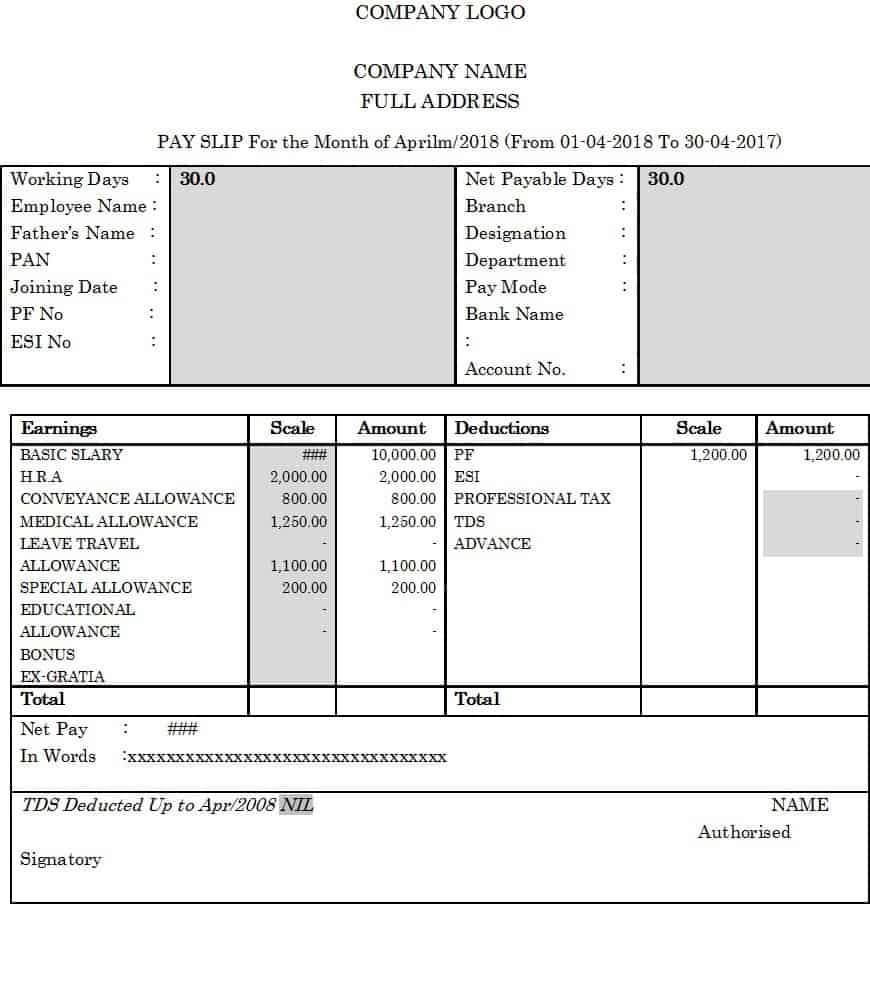
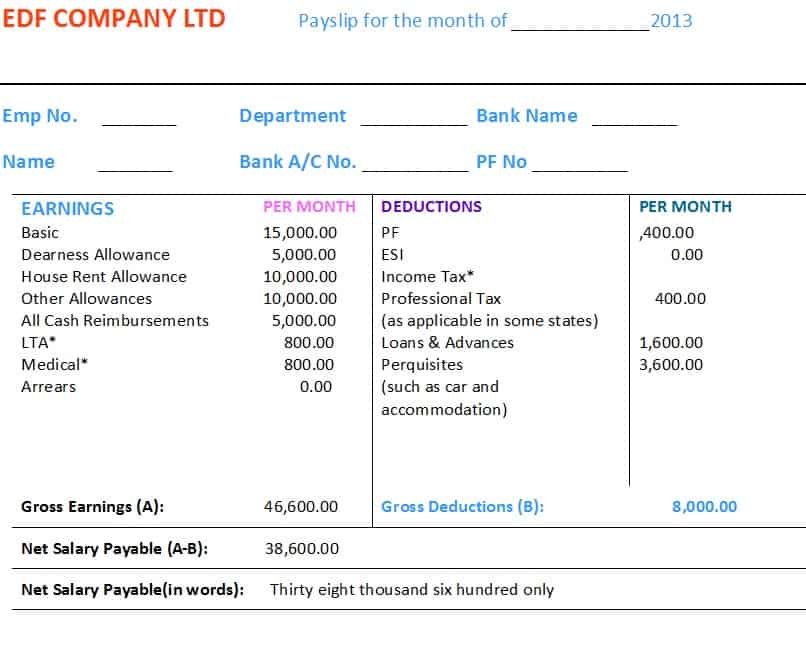
Click on the download button and make this payslip template your own.
Frequently Asked Questions About Payslip Templates
What is a payslip?
A payslip is a document provided by an employer showing an employee’s earnings and deductions for a specific pay period. It normally includes gross pay, deductions, and net pay.
What is the difference between a payslip and a salary slip?
In most everyday business use, the terms payslip and salary slip refer to essentially the same type of payroll document. The preferred term varies by country and organization.
What should be included in a payslip?
A payslip commonly includes employer information, employee details, pay period, basic salary, allowances, additional earnings, deductions, gross pay, and net pay. Additional information may be required depending on local rules and the employer’s payroll system.
Can I make a payslip in Word or Excel?
Yes. Word is useful for creating editable and printable payslips, while Excel can be particularly useful when salary calculations and formulas are required.
Can employees use payslips as proof of income?
A payslip may be accepted as income documentation by some organizations, but requirements vary. Banks, landlords, government agencies, and other institutions may request additional documents such as bank statements, employment letters, or salary certificates.