A pay stub is a document that provides a detailed summary of an employee’s earnings and deductions for a specific pay period. It typically shows information such as gross pay, regular hours, overtime, taxes, other deductions, and net pay.
A professional pay stub template makes it easier for employers and payroll administrators to organize this information in a consistent format. Instead of creating a payroll document from scratch, you can download an editable template and enter the appropriate employee and payment details.
On this page, you can find free pay stub templates in Excel, Word, DOC, and PDF formats. The collection includes simple, detailed, employee, corporate, company, blank, printable, and modern pay stub designs.
Important: A template is a document format, not a substitute for complying with applicable payroll, tax, employment, or record-keeping requirements. Employers should verify that the completed pay stub contains all information required in their jurisdiction.
What Is a Pay Stub?
A pay stub, sometimes called a paycheck stub, payroll stub, earnings statement, or salary statement, is a record showing how an employee’s pay was calculated for a particular period.
A typical pay stub may include:
- Employee name
- Employee ID
- Employer name
- Pay period
- Pay date
- Regular hours
- Overtime hours
- Hourly rate
- Gross earnings
- Taxes
- Insurance deductions
- Retirement deductions
- Other deductions
- Net pay
- Year-to-date earnings
The exact information depends on the employer, payroll system, employment arrangement, and applicable local requirements.
Free Pay Stub Template
A free pay stub template gives small businesses and employers a convenient starting point for preparing payroll documents.
A template can save time because the basic structure is already prepared. You simply enter the appropriate information for the employee and pay period, review the calculations, and save or print the completed document.
For a small business with a limited number of employees, a well-organized Excel or Word template may be useful for maintaining consistent payroll documentation.
Pay Stub Template Excel
A pay stub template in Excel is particularly useful when you want to work with numerical payroll information.
Excel allows you to create columns and formulas for:
- Regular hours
- Overtime hours
- Pay rates
- Gross wages
- Taxes
- Deductions
- Net pay
- Year-to-date totals
You can also customize the spreadsheet with your company name, employee information, pay-period dates, and other relevant fields.
The current page contains seven Excel-oriented templates, including a Sample Pay Stub Template Excel, Employee Pay Stub Template, Detailed Pay Stub Template, Example Pay Stub Excel Template, Organization Pay Stub Template, Sample Corporate Pay Stub Template, and Simple Pay Stub Template Editable.
Pay Stub Template Word
A pay stub template in Word is a good option when you prefer an editable document instead of a spreadsheet.
Microsoft Word allows you to customize the text, tables, headings, company information, and employee details. A Word template can also be convenient when the completed pay stub needs to be printed or converted to PDF.
The page includes Word/DOC options such as Sample Pay Stub Word Template, Basic Pay Stub Template DOC Format, Standard Pay Stub Example, Modern Pay Stub Template, Common Pay Stub Template, and Company’s Blank Pay Stub Template.
Employee Pay Stub Template
An employee pay stub template provides a structured way to show an employee how their compensation was calculated.
A detailed employee pay stub can show the employee’s earnings for the current pay period as well as year-to-date totals.
For example:
| Earnings | Current Period | Year to Date |
|---|---|---|
| Regular Pay | $2,400.00 | $28,800.00 |
| Overtime | $180.00 | $1,250.00 |
| Bonus | $100.00 | $500.00 |
| Gross Pay | $2,680.00 | $30,550.00 |
The deductions section can then show taxes, insurance, retirement contributions, or other applicable deductions.
Detailed Pay Stub Template
A detailed pay stub template is useful when employees need a clearer breakdown of their compensation.
Rather than showing only gross and net pay, a detailed pay stub can separate individual earnings and deductions.
This may make it easier for employees to understand how their final payment was calculated and for employers to maintain organized payroll records.
Simple Pay Stub Template
Not every business needs a complicated payroll document. A simple pay stub template can be appropriate when only basic payment information needs to be presented.
A basic format might include:
Employee: John Smith
Pay Period: August 1–15, 2026
Pay Date: August 20, 2026
Gross Pay: $2,000
Deductions: $350
Net Pay: $1,650
For more complex payroll arrangements, additional earnings and deduction fields may be necessary.
Printable Pay Stub Template
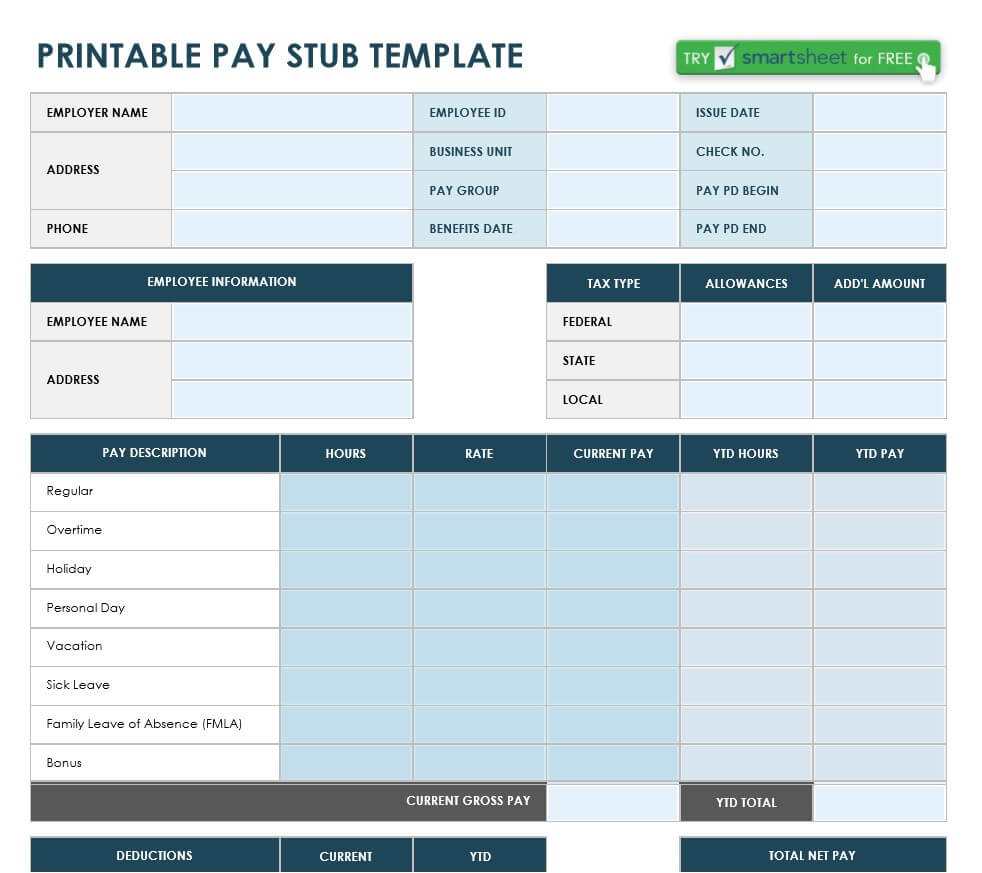
A printable pay stub template allows employers to create a physical copy of an employee’s earnings statement.
Printing can be useful when employees receive paper payroll documentation or when a business wants to maintain physical records.
Before printing, carefully review employee names, dates, amounts, deductions, and totals.
The current collection includes a Free Printable Pay Stub Template PDF.
Paycheck Stub Template
A paycheck stub template is another common term for a pay stub format.
The paycheck itself represents the payment, while the stub provides information explaining the payment amount and deductions. Even when employees receive their wages through direct deposit, an earnings statement or pay stub can provide a useful record of how the payment was calculated.
Payroll Stub Template
A payroll stub template can be used as part of a small-business payroll documentation process.
When preparing payroll, employers should make sure the information on each stub matches their actual payroll records. This includes gross wages, deductions, net pay, and any year-to-date information shown on the document.
For businesses with many employees, dedicated payroll software may be more appropriate than manually preparing individual stubs.
Company Pay Stub Template
A company pay stub template can be customized with an organization’s name, address, logo, employee information, and payroll fields.
Using a consistent company format can make employee documents look more professional and easier to recognize.
The current page includes an Organization Pay Stub Template and a Sample Corporate Pay Stub Template among its Excel options.
Blank Pay Stub Template
A blank pay stub template provides a clean structure that you can customize for your own payroll documentation.
You can add the fields that are relevant to your business, such as employee ID, department, pay period, earnings, deductions, and year-to-date totals.
A blank template can be particularly useful when you want more control over the final layout.
Pay Stub for Direct Deposit
Direct deposit has changed how many employees receive their wages, but the need for clear payroll information remains.
An employee may receive money directly into their bank account without receiving a physical paycheck. A pay stub or earnings statement can still provide a breakdown of:
- Gross earnings
- Taxes
- Other deductions
- Net earnings
- Pay period
- Pay date
- Year-to-date totals
The specific requirements for providing this information vary by jurisdiction.
What Information Should a Pay Stub Include?
The information required on a pay stub can vary, so employers should check the applicable rules where their employees work.
A useful pay stub generally includes the following sections.
Employer Information
Include the employer’s legal or business name and other information required by the applicable payroll system or law.
Employee Information
Include the employee’s name and, where appropriate, an employee number or other internal identifier.
Pay Period
Clearly identify the beginning and ending dates of the period covered by the payment.
Pay Date
Show the date on which the employee is being paid.
Earnings
Break down regular wages, overtime, bonuses, commissions, allowances, or other applicable earnings.
Deductions
List applicable taxes, insurance, retirement contributions, or other authorized deductions.
Gross Pay
Show total earnings before deductions.
Net Pay
Show the final amount paid to the employee after applicable deductions.
Year-to-Date Information
Where appropriate or required, include cumulative earnings and deductions for the year.
How to Make a Pay Stub
Creating a pay stub from a template is straightforward, but the underlying payroll figures must be accurate.
1. Add Employer Information
Enter the company’s name and relevant contact or business information.
2. Add Employee Information
Enter the employee’s name and identification information used by your payroll system.
3. Enter the Pay Period
Specify the beginning and ending dates for the payment period.
4. Add Earnings
Enter regular wages, overtime, bonuses, commissions, or other applicable earnings.
5. Add Deductions
Enter applicable taxes and authorized deductions.
6. Calculate Net Pay
Subtract applicable deductions from gross earnings to determine the amount paid.
7. Review the Document
Check every figure before giving the completed pay stub to the employee or retaining it for your records.
Pay Stub vs. Paycheck
A paycheck is the actual payment issued to an employee, while a pay stub provides a breakdown of the payment.
Today, many employees receive their wages through direct deposit. In that situation, there may be no physical paycheck, but the employee can still receive an earnings statement showing how the payment was calculated.
Pay Stub vs. Salary Slip
The terms pay stub and salary slip can refer to very similar documents, although terminology varies by country.
A salary slip may show basic salary, allowances, deductions, and net salary, while a pay stub in some payroll systems may provide a more detailed breakdown of hours, rates, taxes, and year-to-date totals.
The exact format depends on the employer and local payroll requirements.
Benefits of Using a Pay Stub Template
Using a well-designed template can help small businesses organize payroll documentation.
Saves Time
The basic structure is already prepared.
Improves Consistency
Employees can receive pay documentation in a standardized format.
Makes Information Easier to Read
Clearly separated earnings and deductions make the document easier to understand.
Supports Record Keeping
Completed pay stubs can be retained as part of appropriate payroll records.
Easy to Customize
Excel and Word templates can be adapted to the needs of different businesses.
Tips for Creating Accurate Pay Stubs
Pay stubs contain financial information, so accuracy is important.
Double-check calculations: Make sure gross pay, deductions, and net pay reconcile.
Use the correct pay period: Don’t accidentally use dates from a previous payroll cycle.
Check employee names: Make sure employee information is correct.
Separate earnings and deductions: This makes the statement easier to understand.
Protect sensitive information: Store and share payroll documents securely.
Check local requirements: Required pay-stub information varies by jurisdiction.
Keep payroll records organized: Retain records according to applicable legal and business requirements.
Download Free Pay Stub Templates
Whether you need an employee pay stub template, pay stub Excel template, pay stub Word template, paycheck stub template, payroll stub, blank pay stub, detailed pay stub, or printable pay stub PDF, the collection on this page provides several formats to choose from.
Select the template that best fits your payroll process, download it, and customize the appropriate fields.
For small businesses, a reusable template can provide a simple way to prepare consistent employee earnings statements. For larger organizations, payroll software may provide more automation and stronger controls.
Always verify that completed pay stubs comply with applicable payroll, tax, employment, and record-keeping requirements.
6+ Sample Pay Stub Templates Excel
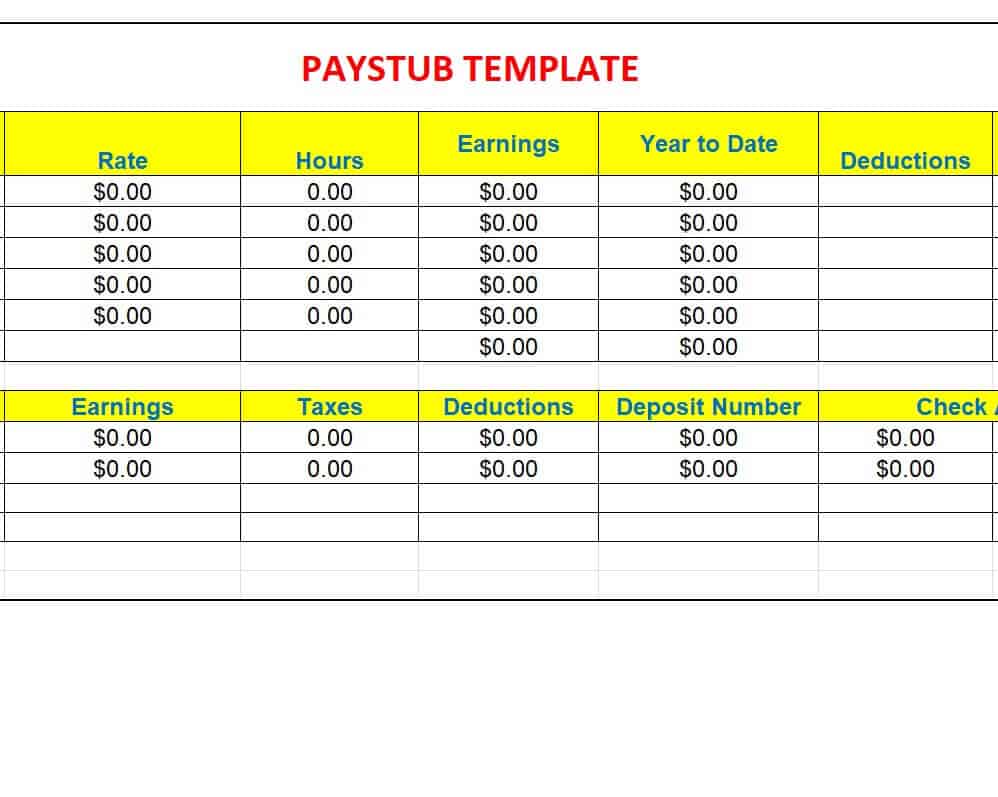
Sample Pay Stub Template Excel
This Excel template provides a structured format for recording employee payment information, including earnings and deductions. It can be customized with employer details, employee information, pay periods, and payment amounts.
The spreadsheet format makes it suitable for businesses that want to organize numerical payroll information in a familiar Excel environment.
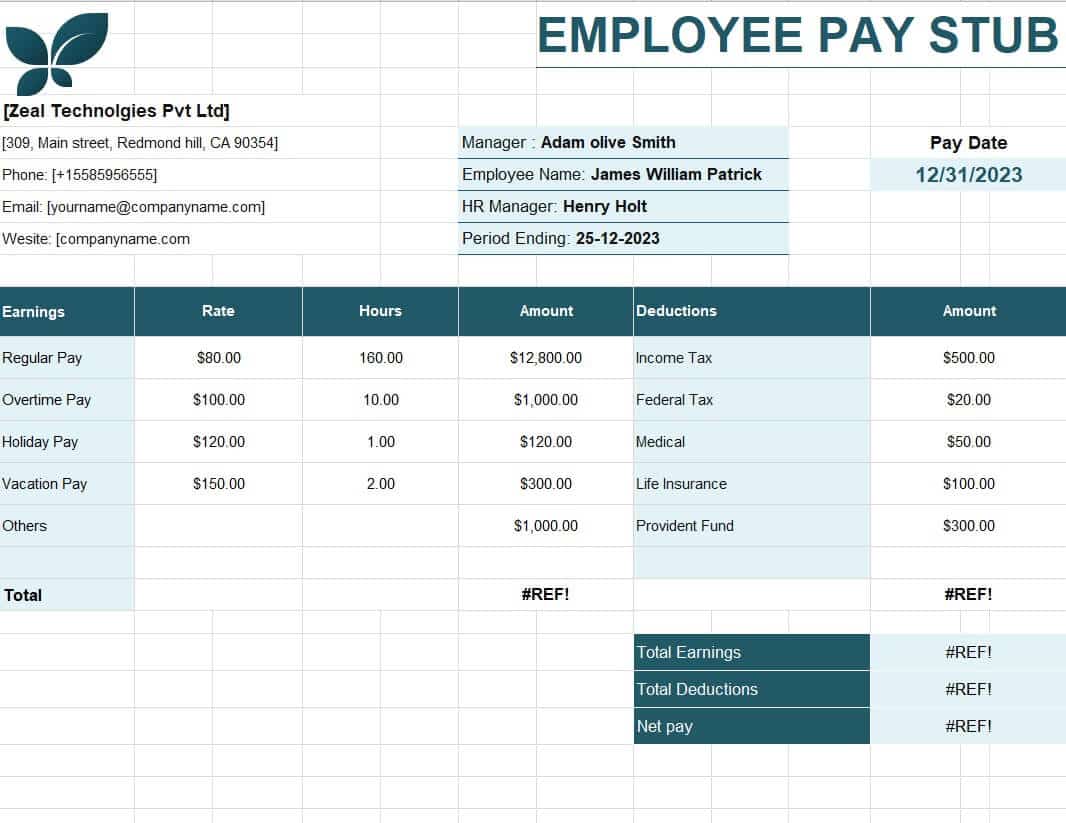
Employee Pay Stub Template
This template is designed specifically for documenting an employee’s earnings and deductions. It can be adapted with employee details, pay dates, earnings information, and applicable deductions.
It can be useful for small businesses that need a consistent format for providing employees with payment information.
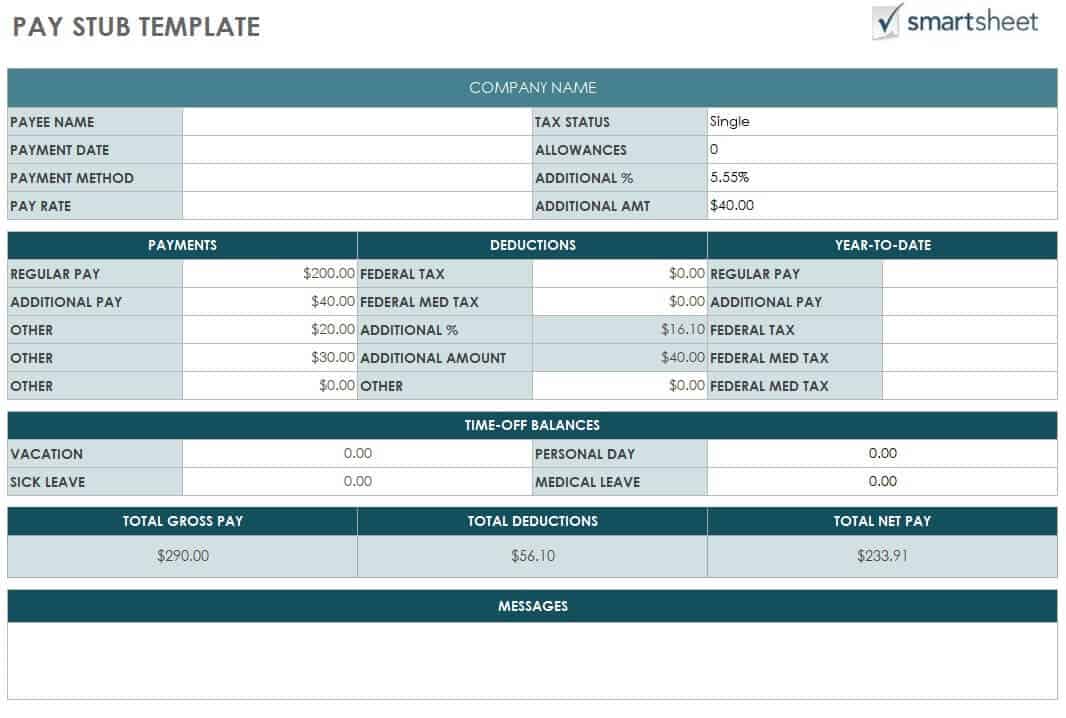
Detailed Pay Stub Template
This template provides a more comprehensive structure for documenting payroll information. It can be used to separate different earnings and deduction categories so employees can understand their payment calculation.
The detailed format can be particularly useful when payroll contains multiple earning or deduction components.
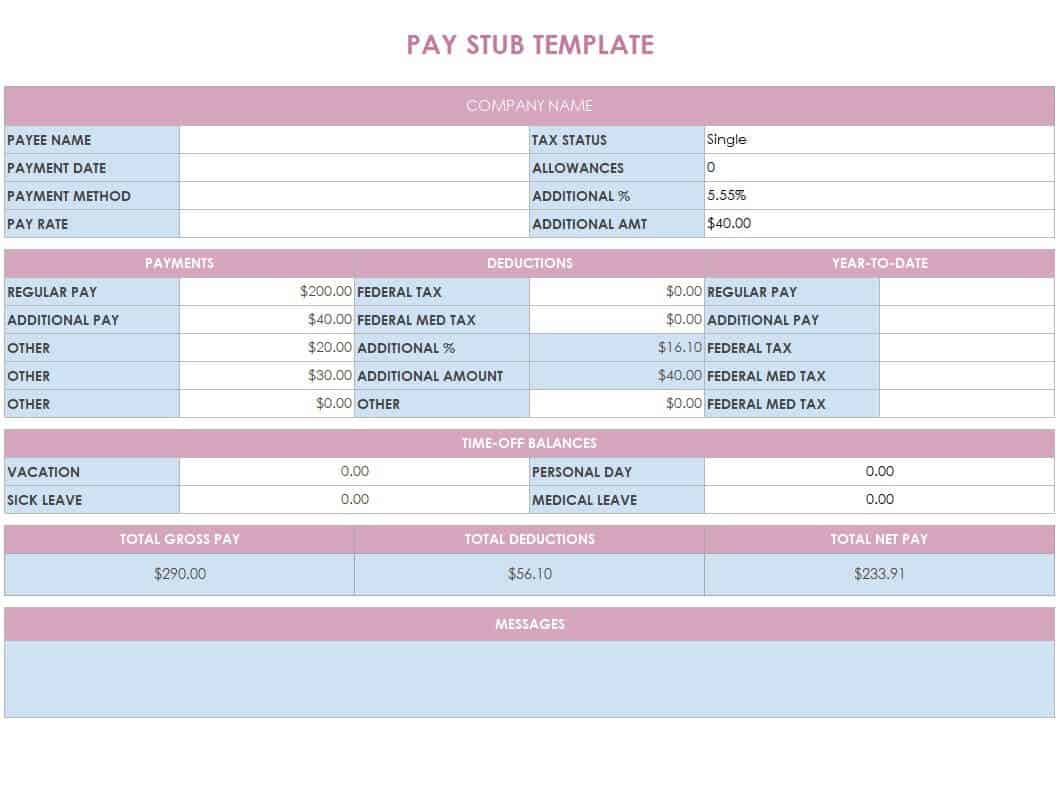
Example Pay Stub Excel Template
This Excel template provides an example of how a pay stub can be organized in a spreadsheet. It can serve as a reference when creating a customized payroll document.
Users can replace example information with their own employee, pay-period, earnings, and deduction data.
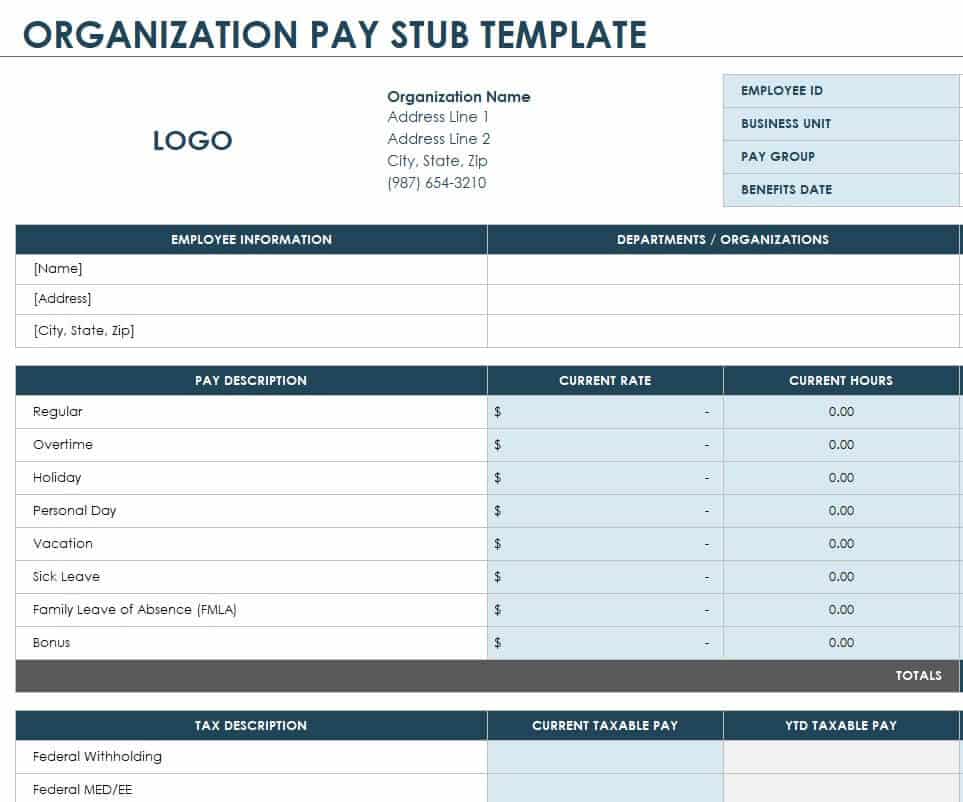
Organization Pay Stub Template
This template is intended for organizations that need a consistent format for employee pay information. It can be customized with company details and payroll fields.
A standardized format can help an organization present earnings information consistently across employees.
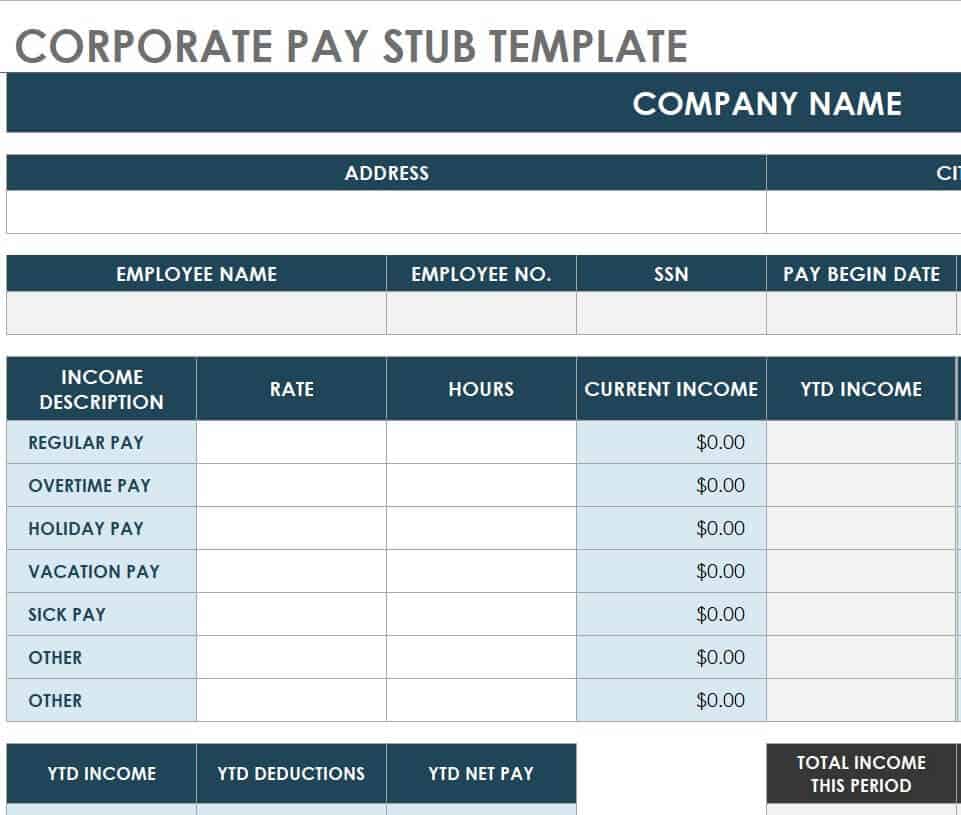
Sample Corporate Pay Stub Template
This corporate pay stub template provides a structured example for documenting employee compensation. It can be customized with company branding, employee information, earnings, deductions, and payment details.
It can serve as a useful starting point for businesses developing a standardized pay-stub format.
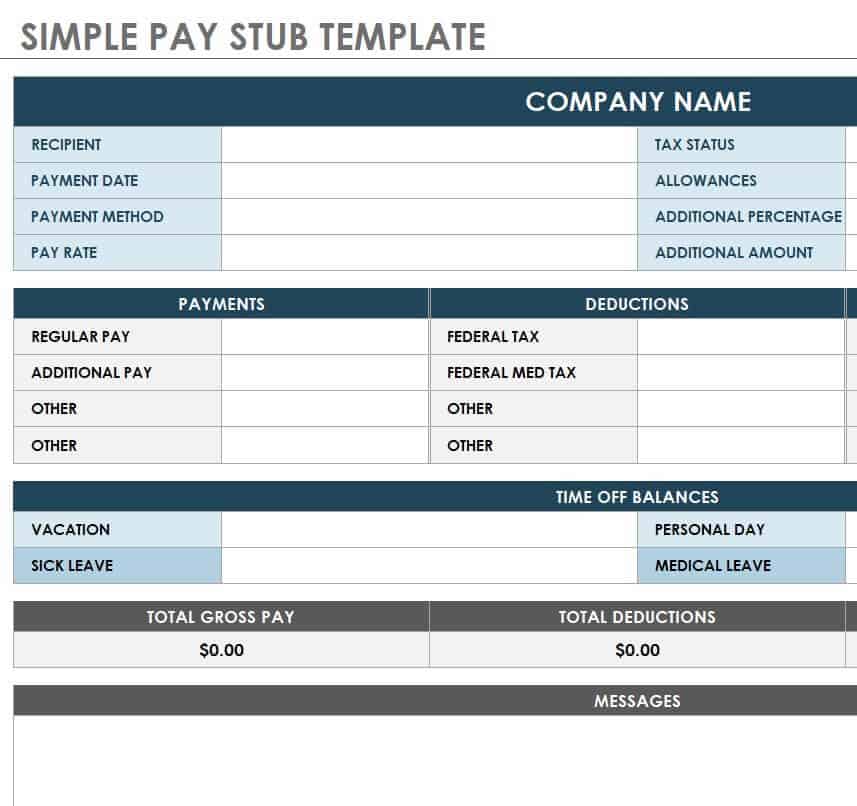
Simple Pay Stub Template Editable
This editable template provides a straightforward format for creating a basic pay stub. It is suitable when the payroll document does not require an overly complex layout.
The editable structure can be customized with employee details, payment dates, earnings, deductions, and net pay.
5+ Sample Pay Stub Templates WORD
Sample Pay Stub Word Template
This Word template provides an editable document format for preparing employee pay information. It can be customized with company and employee details and adjusted before printing or saving.
Word makes the template convenient for businesses that prefer document-based payroll forms.

Basic Pay Stub Template DOC Format
This DOC template provides a basic structure for creating a pay stub. It can be edited with the relevant employee, employer, earnings, deduction, and payment information.
Its simple structure makes it suitable for users who need a straightforward payroll document.
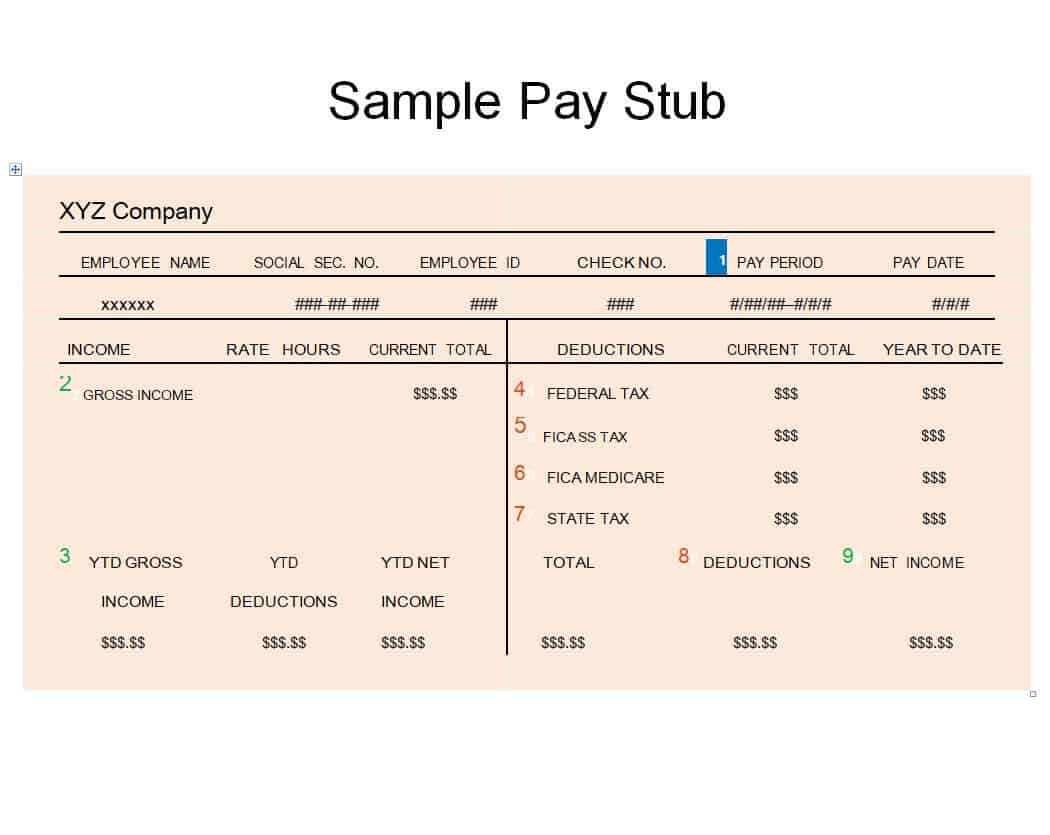
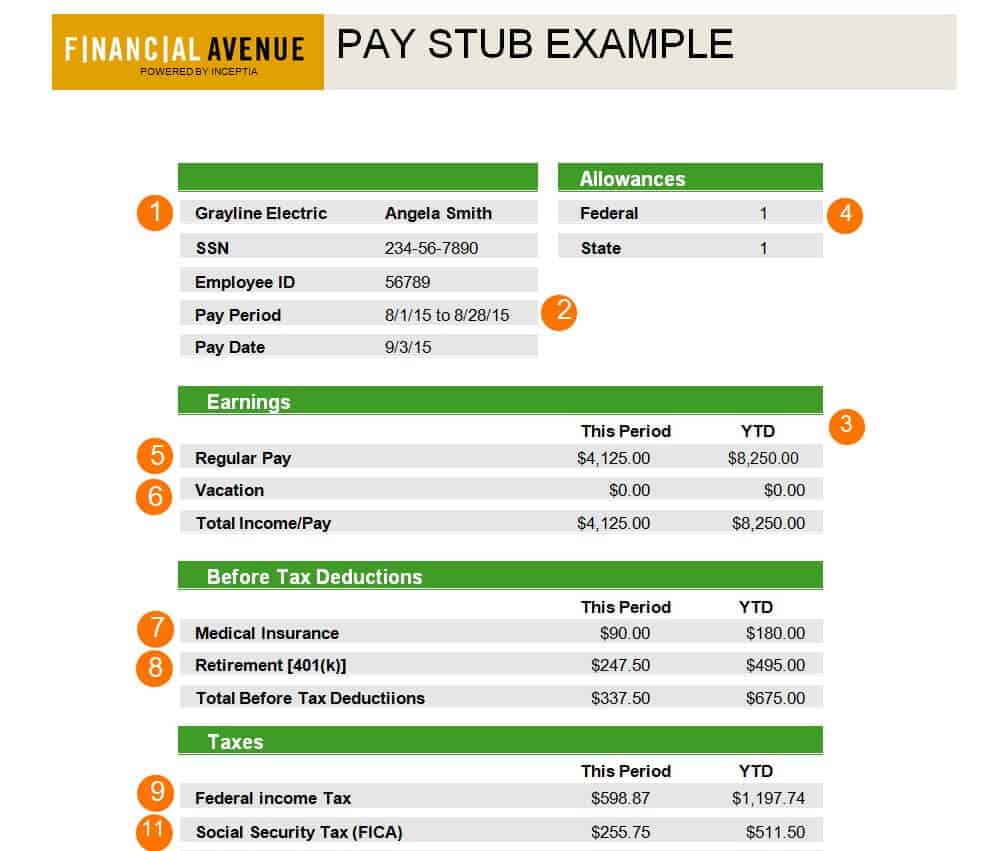
Standard Pay Stub Example
This template provides a standard example of a pay stub layout. It can be used as a reference for organizing common employee payment information.
Users can adapt the document to suit their own payroll process and applicable requirements.
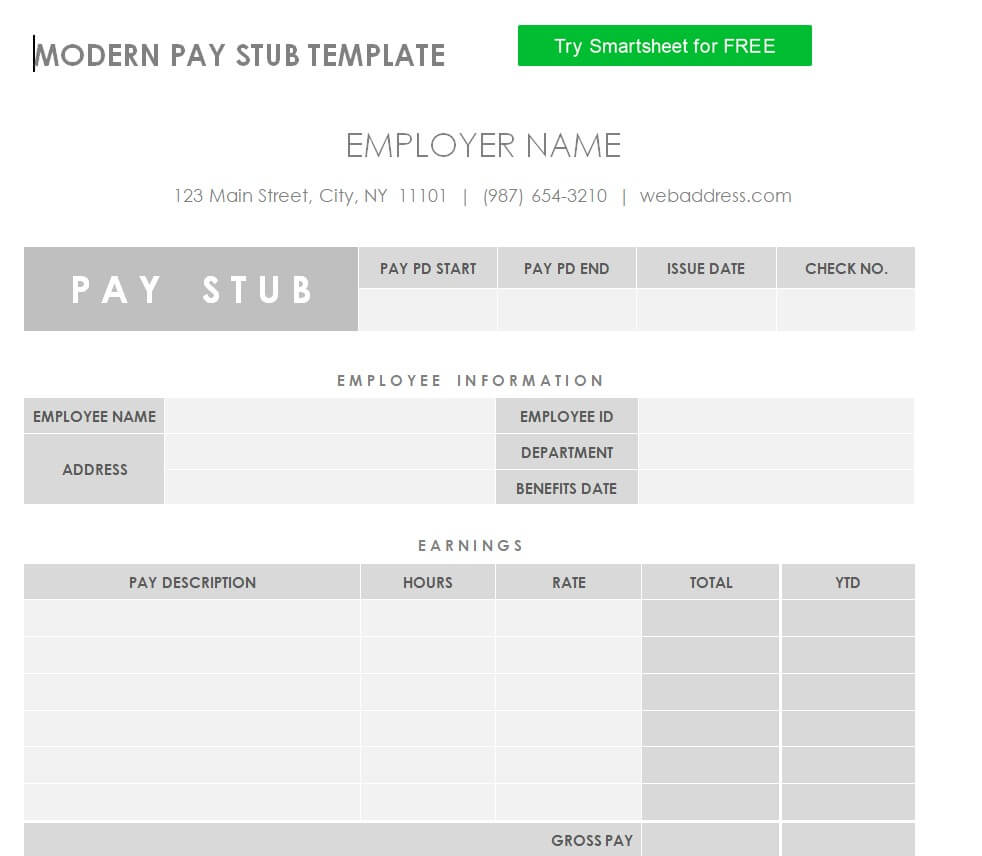
Modern Pay Stub Template
This template provides a standard example of a pay stub layout. It can be used as a reference for organizing common employee payment information.
Users can adapt the document to suit their own payroll process and applicable requirements.
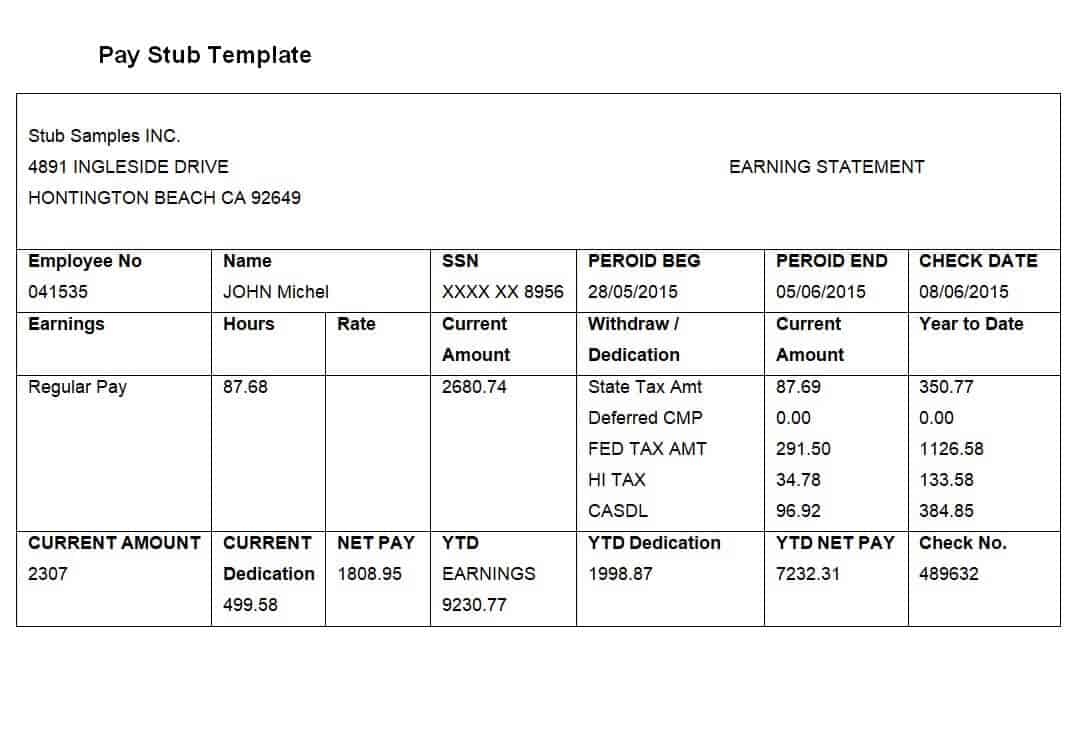
Common Pay Stub Template
This template provides a contemporary format for organizing employee compensation information. It can be customized with company information, employee details, earnings, deductions, and payment dates.
The template is suitable for businesses looking for an editable pay-stub document with a modern presentation.
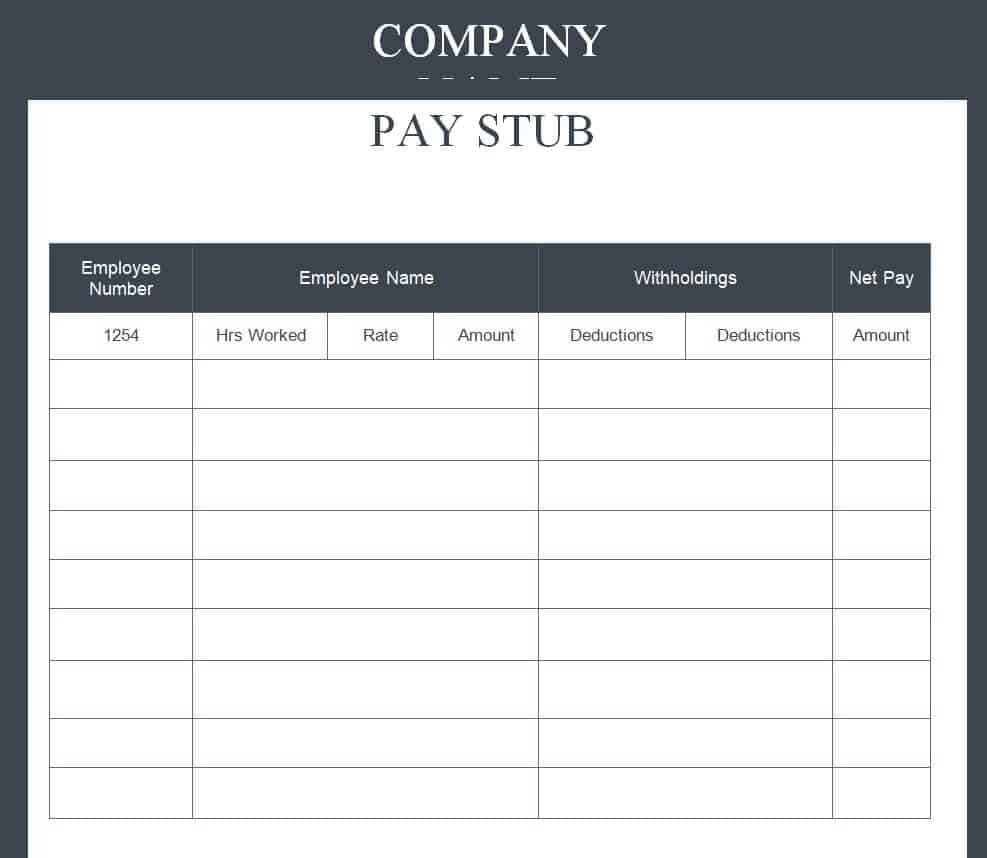
Company’s Blank Pay Stub Template
This template provides a general-purpose pay stub format that can be adapted for different payroll situations. It can include common information such as earnings, deductions, pay period, and net pay.
It can serve as a useful starting point for businesses creating standardized employee payment documents.
Free Printable Pay Stub Template PDF
This PDF template provides a printable format for presenting employee payment information. It can be useful when a business wants a document that can be printed or shared in a fixed-format PDF.
Before issuing a completed pay stub, employers should verify all employee details, dates, earnings, deductions, and totals.
Frequently Asked Questions
What is a pay stub?
A pay stub is a document showing how an employee’s payment was calculated. It commonly includes earnings, deductions, gross pay, net pay, pay period, and pay date.
What is the difference between a pay stub and a paycheck?
A paycheck is the payment made to an employee, while the pay stub explains the payment by showing earnings, deductions, and net pay.
Can I make a pay stub in Excel?
Yes. Excel is useful for creating pay stubs because it can organize payroll information and perform calculations. Employers should verify all calculations and required information before issuing the document.
Can I make a pay stub in Word?
Yes. Word is useful for creating editable pay stub documents with tables for earnings, deductions, employee information, and payment details.
What should be included on a pay stub?
Requirements vary, but a pay stub commonly includes employer and employee information, pay period, pay date, earnings, deductions, gross pay, and net pay. Some jurisdictions require additional information.
Is a pay stub the same as a salary slip?
They can serve similar purposes, but terminology varies by country and payroll system. Both generally provide information about an employee’s compensation and deductions.
Can I use a free pay stub template for my business?
A template can be used as a starting point for payroll documentation, but employers should make sure the completed document meets applicable legal and payroll requirements.
Do employees need pay stubs for loans?
A lender may request proof of income, and a pay stub may be one form of supporting documentation. Requirements vary between lenders and applications.